Frame to Component
A Framer plugin that turns one selected frame into a clean React component (TSX) and a CSS module, with a report of every layer and property it couldn't convert. Everything is generated in your browser.
- Works with
- Framer
- Get it from
- Framer MarketplaceListing coming soon
- Status
- In development
- Support
- support@christianortiz.studio
-
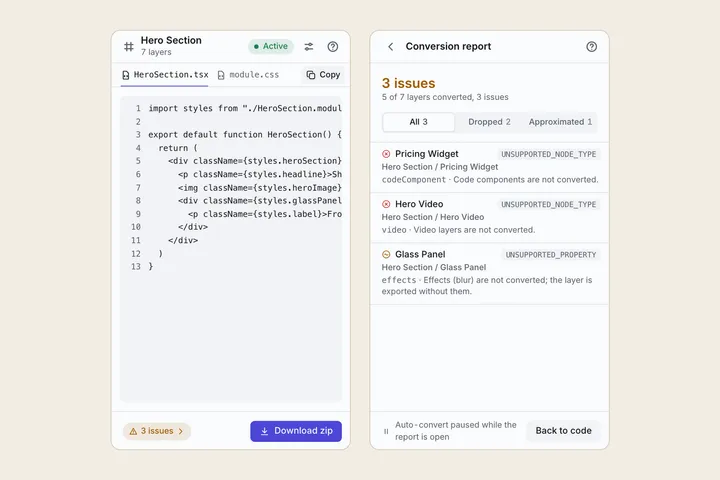
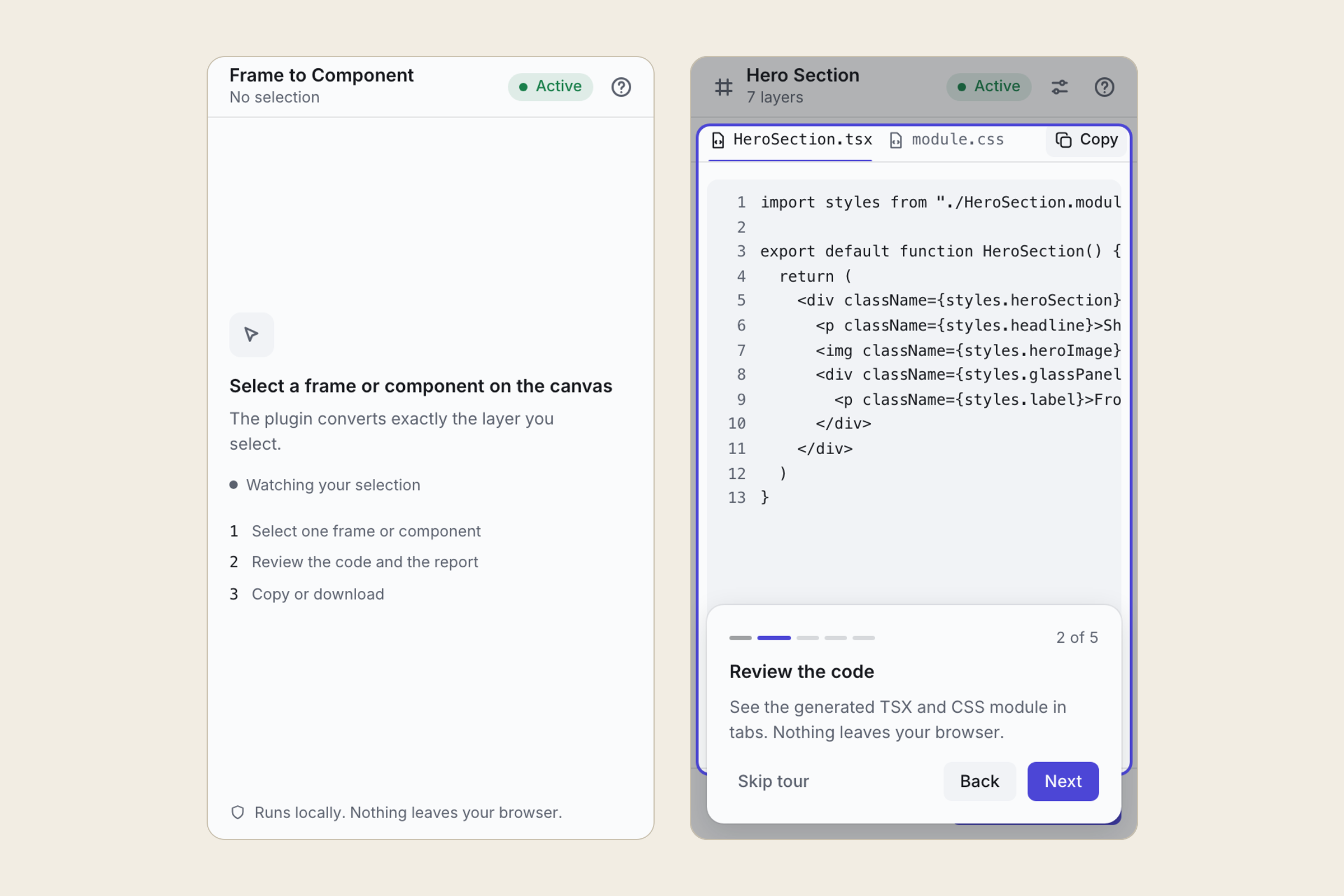
Code preview and conversion report -
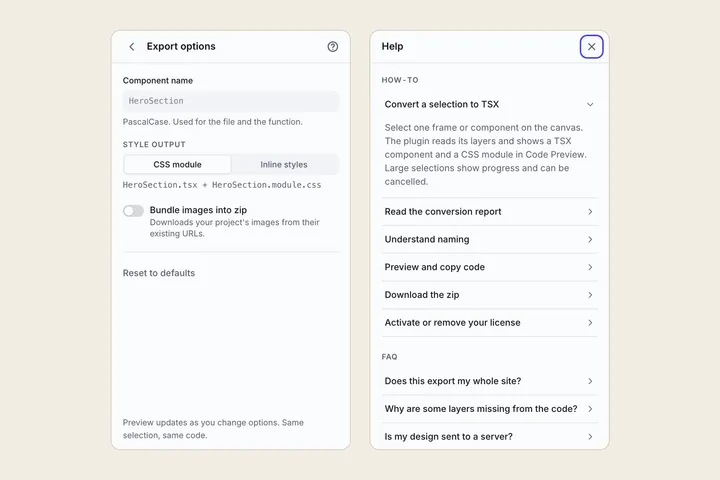
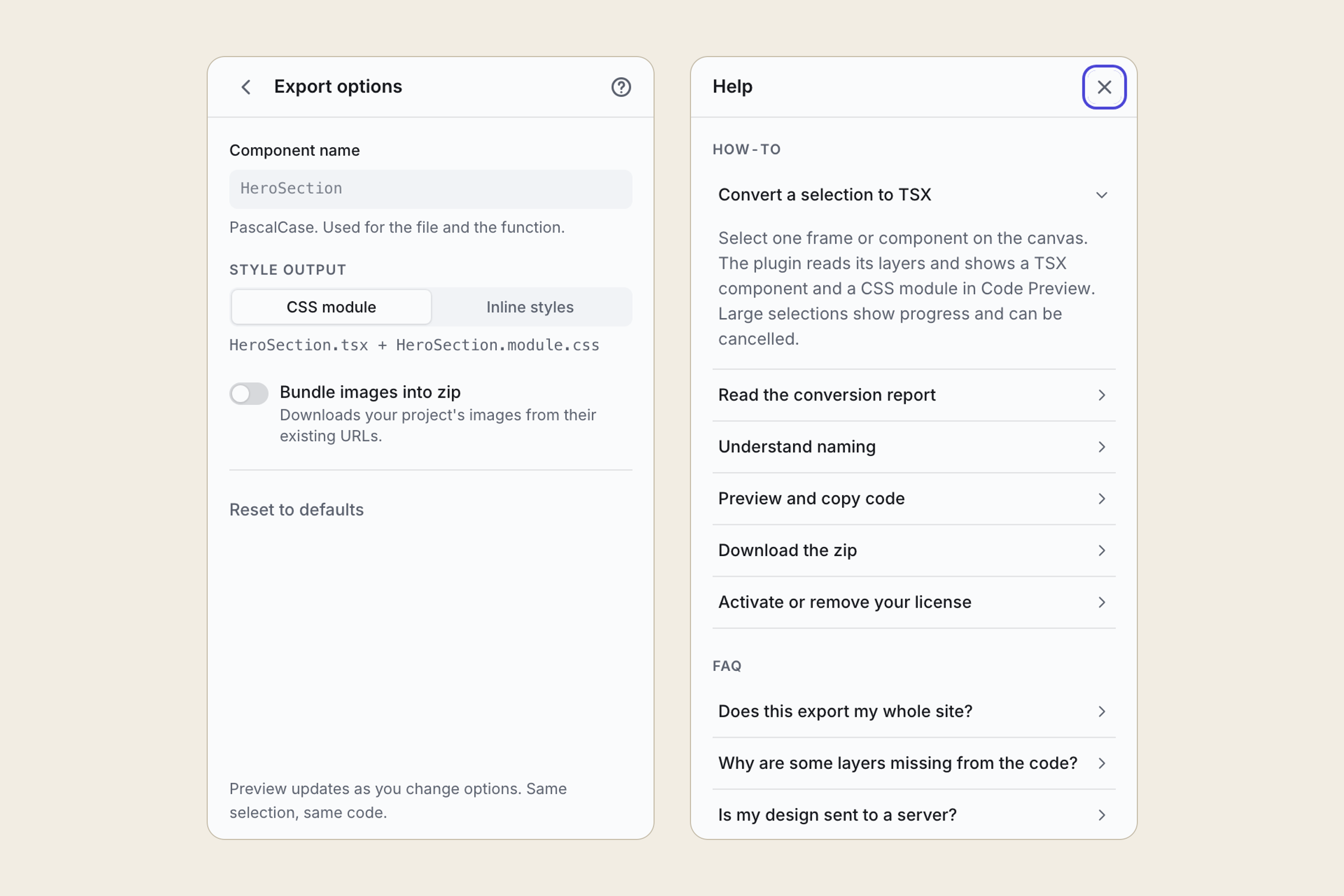
Export options and help -
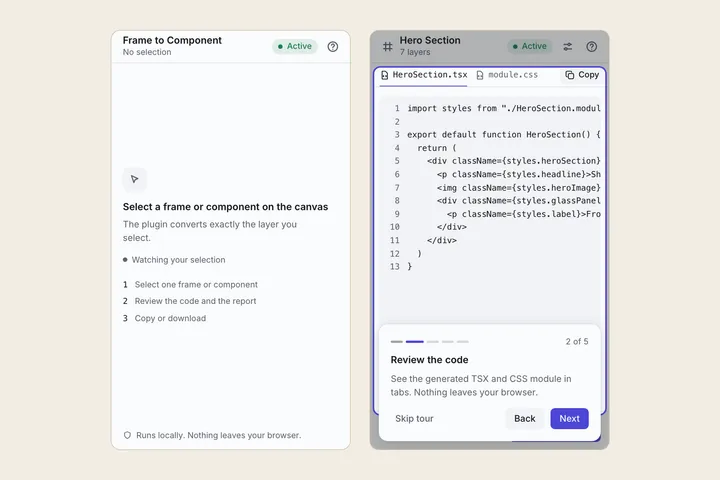
Selection prompt and first run tour
What it does
Select one frame or component on the Framer canvas and open Frame to Component. It reads that layer tree and shows two files in a code preview: a TSX component and a CSS module (or the same component with inline styles, if you prefer).
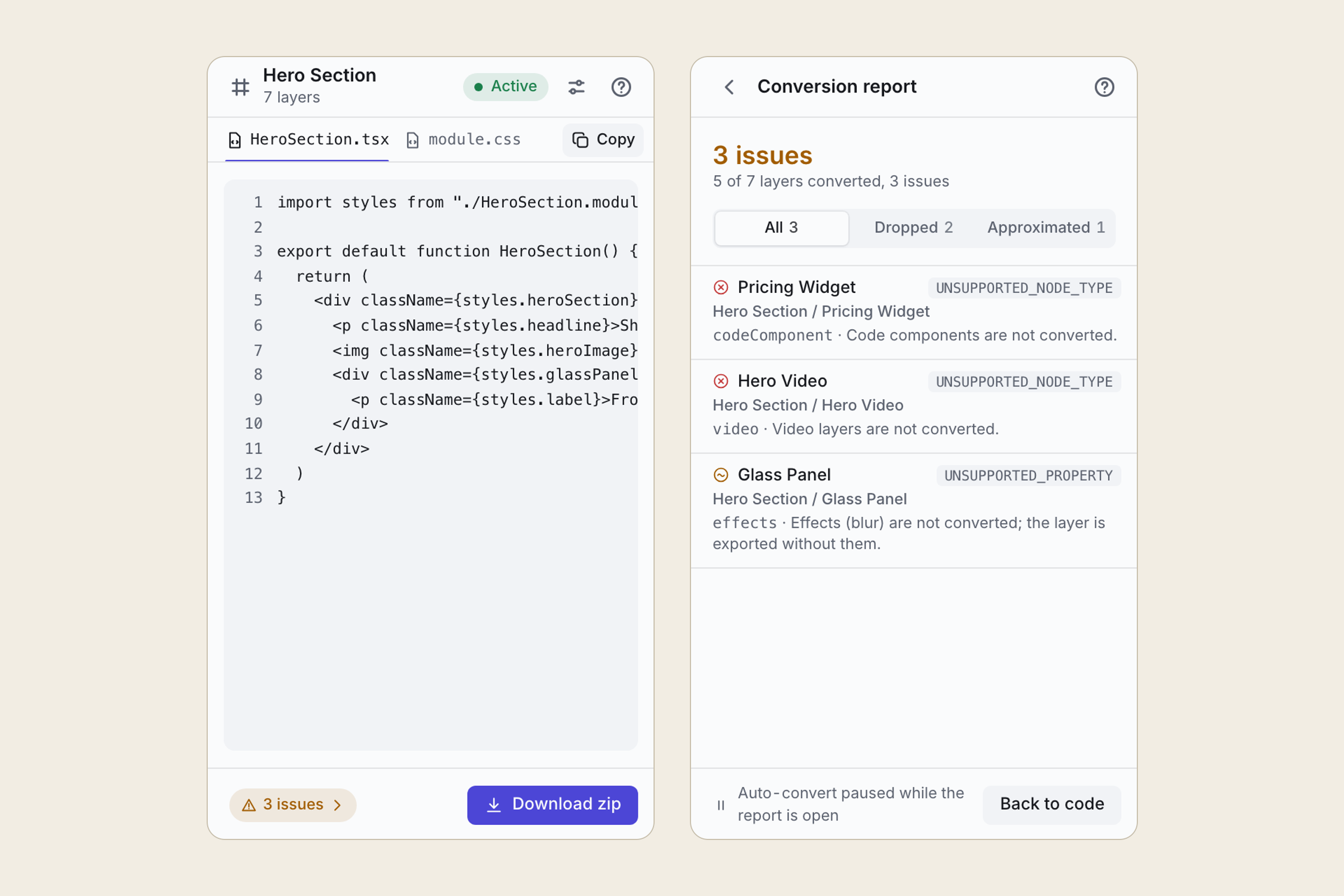
Frames, stacks and their layout, design components (from their primary variant), text with its Text Style typography, images, fills, borders and corner radius are converted. Anything it can’t convert exactly is listed in the conversion report, by layer name, with the reason. Click a row and that layer is selected on the canvas, so you can fix it or rebuild it in code. The one thing it can’t list per layer is what Framer doesn’t show plugins at all: shadows, blur, filters and effects. The report says so once, so you know to check them.
With a license you can copy each file, or download a zip with the component, the CSS module and a README listing every report item. The zip is built in your browser.
Who it’s for
Designers and developers who build in Framer but need part of a design, such as a hero, a card or a pricing table, as code they own in a React project. It suits a hand-off where you want readable, stable output rather than a whole exported site.
It isn’t a full-site exporter. It converts one frame at one size, without breakpoints, interactions or animations, and it doesn’t produce Tailwind or Vue.
The problems it fixes
- Exporters that silently drop things. Every unsupported layer or property the plugin can see is listed in the report, with its layer name and why, and a click takes you to it. What Framer hides from plugins (shadows, blur, filters, effects) is named in a standing note instead of skipped without a word.
- Class names that change on every export. Names come from your layer names, in camelCase, with
_2and_3for duplicates. The same selection always gives byte-identical files, so diffs stay small. - Code you can’t read. One component file and one CSS module, sorted and formatted, named after your frame.
- Sending your design to someone else’s server. Your design never leaves your browser. The code is generated inside the plugin.
- Paying before you know it works. Preview and the report are free, on any frame. You only need a license to copy or download.
Pricing
Preview and the conversion report are free. Copying the files and downloading the zip need a one-time license ($59 USD), bought outside Framer through a Lemon Squeezy checkout.
Your data
The plugin runs inside the Framer editor, in your browser. It reads the layers of the frame you select and generates the code right there. Your design is never sent to me or anyone else, and the plugin never changes your project. The only network calls are the license check with Lemon Squeezy (your license key, nothing from your design) and, if you turn on image bundling, downloading your images from the addresses they already have. Your options and license key are kept in your browser’s storage on your own device. There is no analytics or tracking.
The privacy policy has the details.
Help and policies
Get the next thing I make.
Essays, video essays, and small tools — I make everything myself and send one short email a week with the best of it. No noise.