Bundle-Aware Reorder Planner
Reorder suggestions for Shopify that count bundle and kit sales toward the components inside them, show how many kits your stock can build, and turn the suggestions into purchase orders grouped by supplier, with the full calculation behind every number.
- Works with
- Shopify
- Get it from
- Shopify App StoreListing coming soon
- Status
- In development
- Support
- support@christianortiz.studio
-
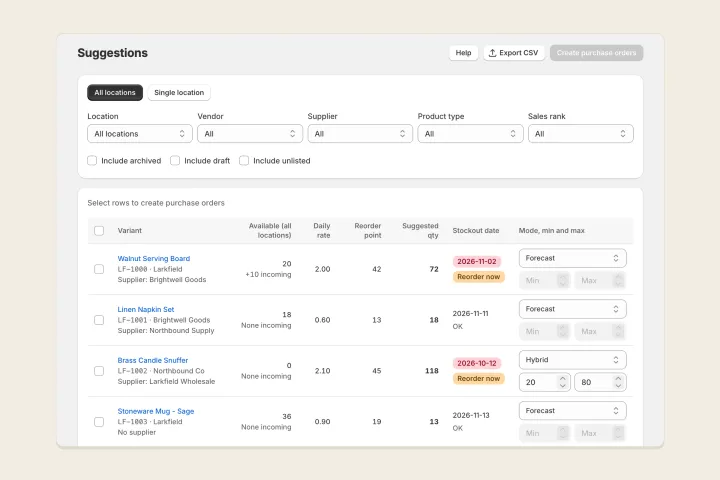
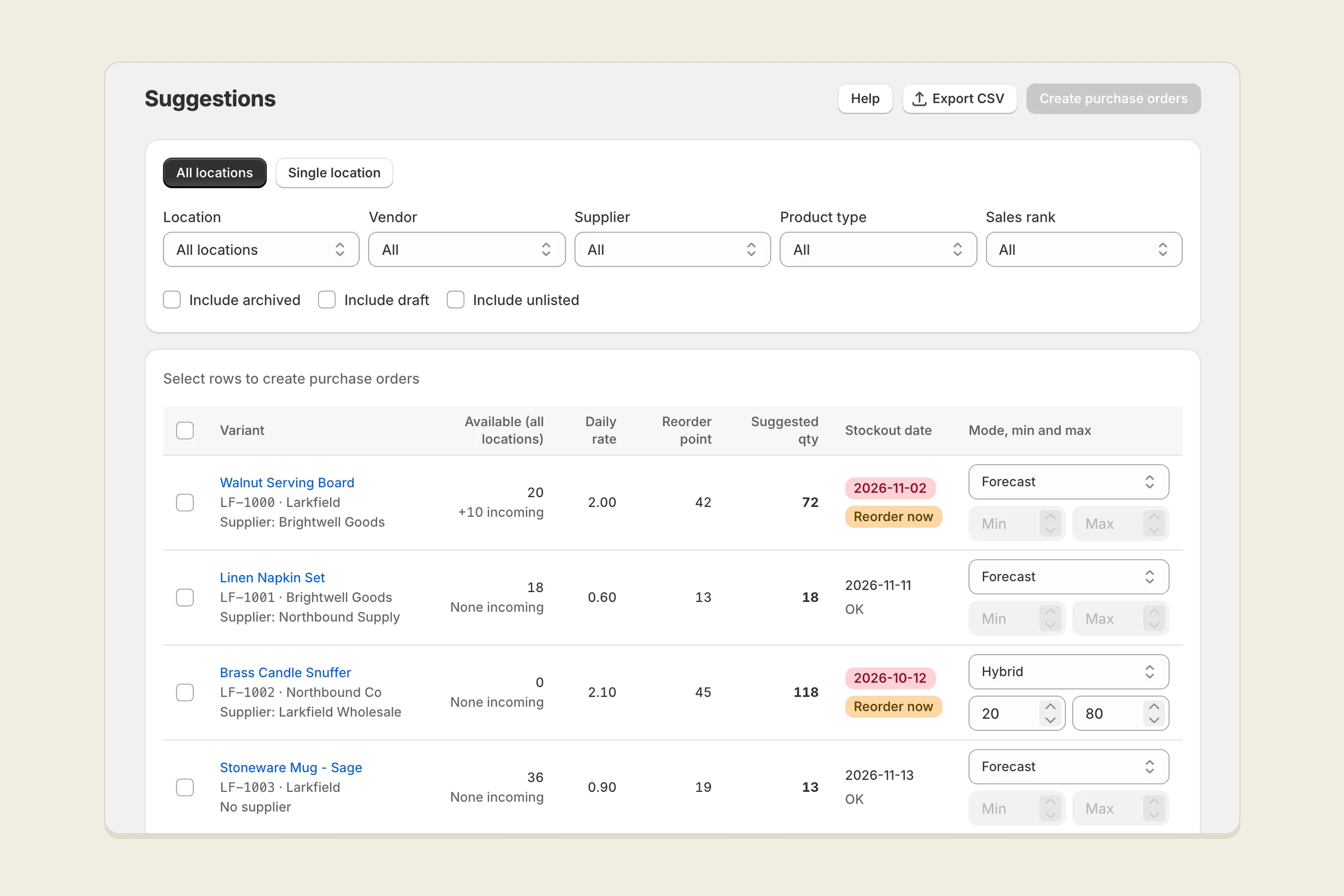
Reorder suggestions -
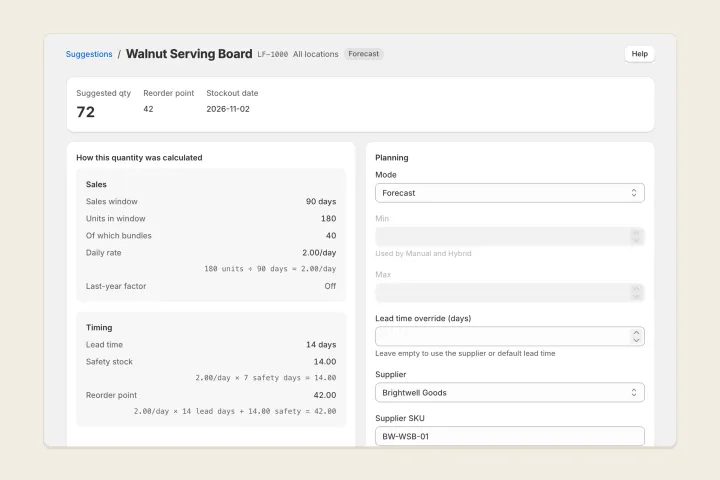
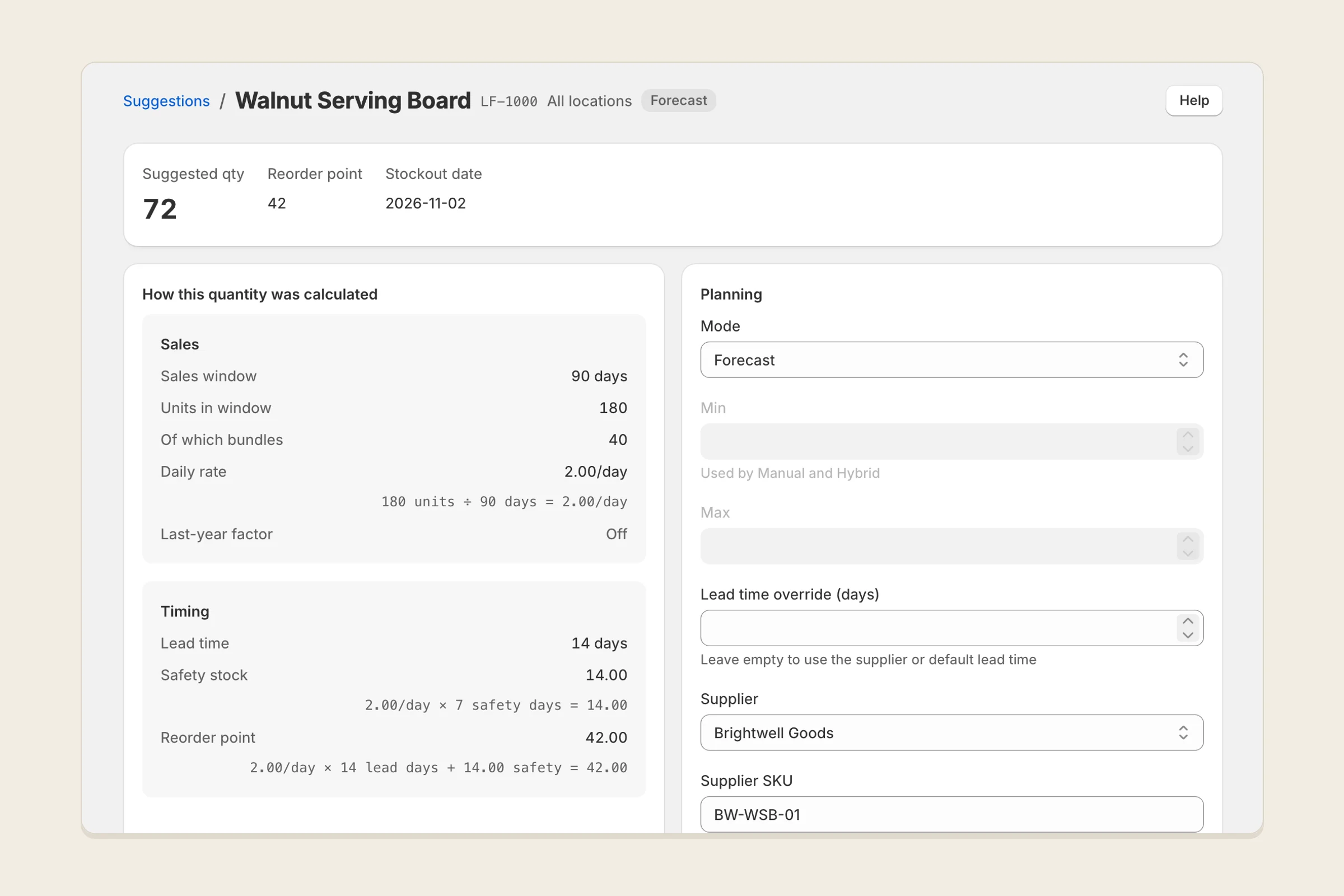
How a quantity was calculated -
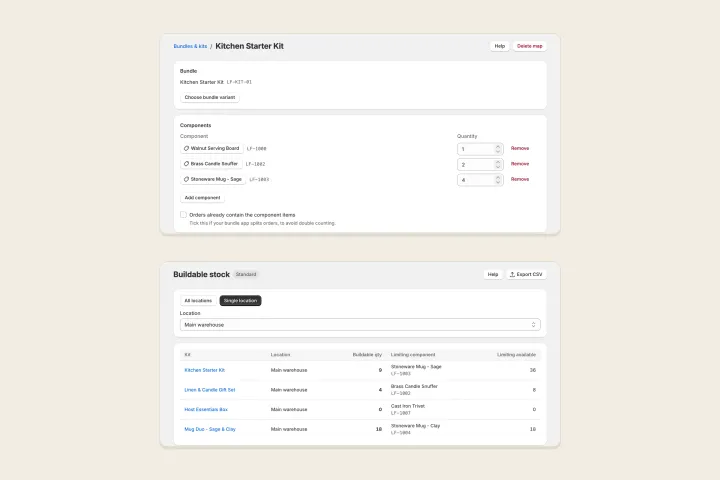
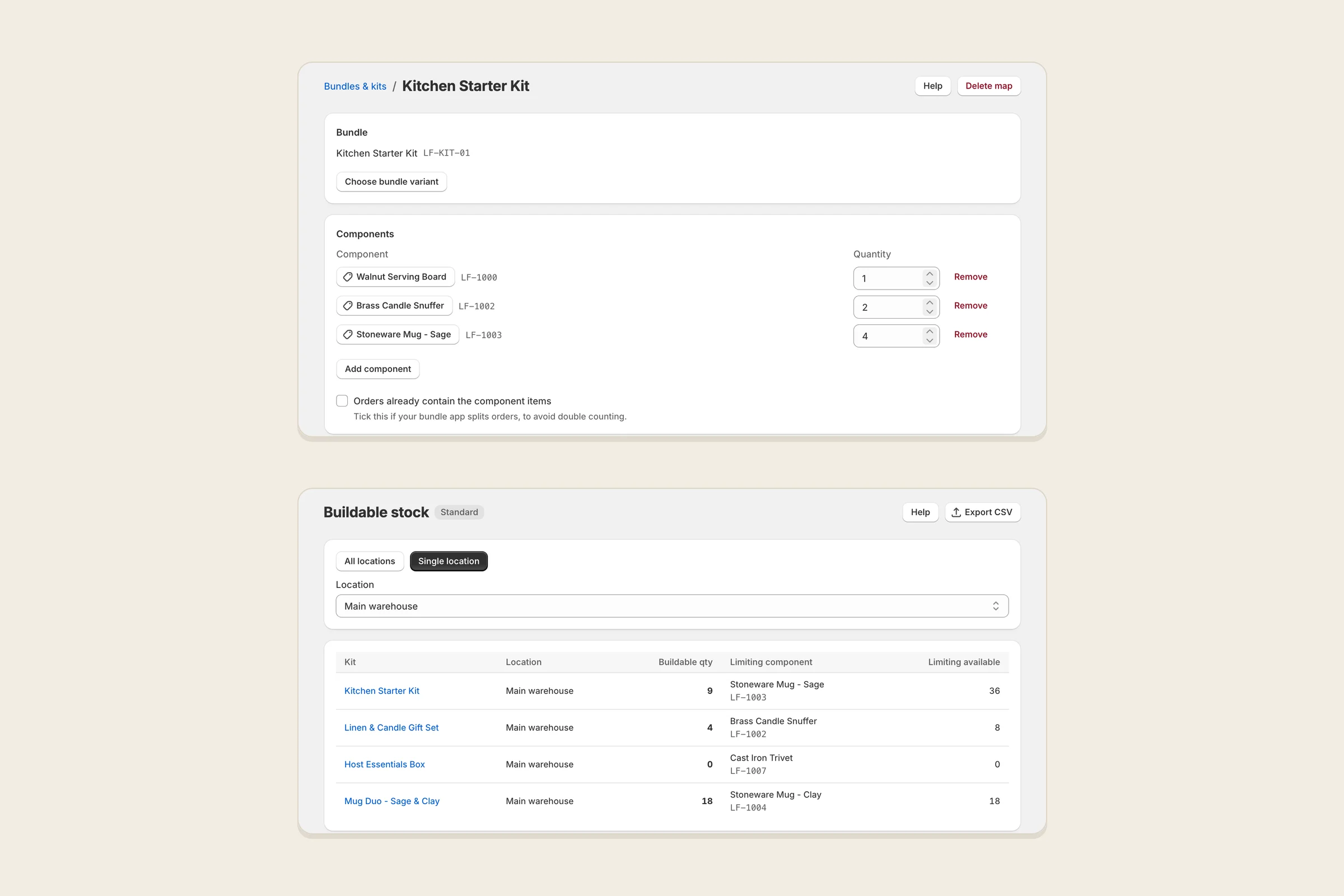
Bundle components and buildable stock
What it does
Bundle-Aware Reorder Planner tells you what to reorder, when, and how much, for each variant and location or for all your locations together.
When you sell bundles or kits, you map each one to the variants inside it. Every bundle sale then counts toward the demand for its components, so the components get reordered on time. Buildable stock shows how many of each kit your current component stock can make, and which component runs out first.
Every suggestion opens to show how it was calculated: the sales window, the daily rate, lead time, safety stock, reorder point, stock on hand, incoming stock and pack rounding. It’s fixed arithmetic, not AI, and you can see every step on every plan.
You can keep your own min and max for some products, let the forecast decide for others, or use a hybrid that keeps the forecast between your min and max. When you’re ready to order, select suggestions and the app creates draft purchase orders, one per supplier, for one location or for all locations combined. You send them from your own email.
Every table exports to CSV with the columns you see, and a store bundle moves your suppliers, settings, component maps, planning modes and purchase orders into another store.
Who it’s for
Shopify merchants who sell bundles, kits or made-to-order items, stock more than one location, or run more than one store, and who want reorder quantities they can check rather than take on trust.
It doesn’t change your store: it doesn’t receive stock into Shopify, run stocktakes or transfers, or email your suppliers. Update stock in Shopify when a delivery arrives, then mark the purchase order received in the app.
The problems it fixes
- Bundle sales don’t reach the components. Map a bundle once, and its sales add to each component’s demand, without double counting when your bundle app already splits orders into components.
- There’s no view of what you can build. Buildable stock shows the number of each kit you can make from current stock, per location or combined, and names the limiting component.
- Forecasts are a black box. Every quantity opens to its full working, on every plan.
- You can’t mix your own levels with the forecast. Choose forecast, manual min/max or hybrid for each variant, inline or by CSV.
- Purchase orders sit behind a top-tier plan, or cover one warehouse only. Purchase orders are on Standard, the first paid plan, grouped by supplier, for one location or all combined.
- Exports leave out columns, and data can’t move to another store. Exports contain exactly the columns on screen, and a store bundle imports into a second store with a preview of matched and unmatched SKUs.
- Screens go grey while data loads. The first sync shows its progress, you can leave and come back, and tables load a page at a time.
- Archived and unlisted products clutter the list. They’re hidden by default, with a toggle to show them, and you can filter by vendor, supplier, location, product type and sales rank.
- Charges continue after you uninstall. Billing is monthly through Shopify only, so uninstalling ends the charges.
Pricing
Free, Standard and Pro plans, billed monthly through Shopify, with a 7-day free trial on Standard and Pro. See the plans on the Shopify App Store listing.
Your data
The app only reads your store. It reads products, inventory, locations and orders, and never changes anything in Shopify. Orders are read only to count units sold per variant per day; no customer names, emails or addresses are stored. Supplier contacts are what you enter yourself. Everything it stores for your store is deleted within an hour of uninstalling. It runs on Fly.io in the US, and there is no analytics or tracking.
The privacy policy has the details.
Help and policies
Get the next thing I make.
Essays, video essays, and small tools — I make everything myself and send one short email a week with the best of it. No noise.