Translated Page Copies
A Framer plugin that copies the pages you choose to per-language paths such as /fr/pricing, as drafts, and translates their text and your CMS collections, with your own OpenAI, Anthropic or Google key or a free CSV and XLIFF round trip. No Localization add-on needed.
- Works with
- Framer
- Get it from
- Framer MarketplaceListing coming soon
- Status
- In development
- Support
- support@christianortiz.studio
-
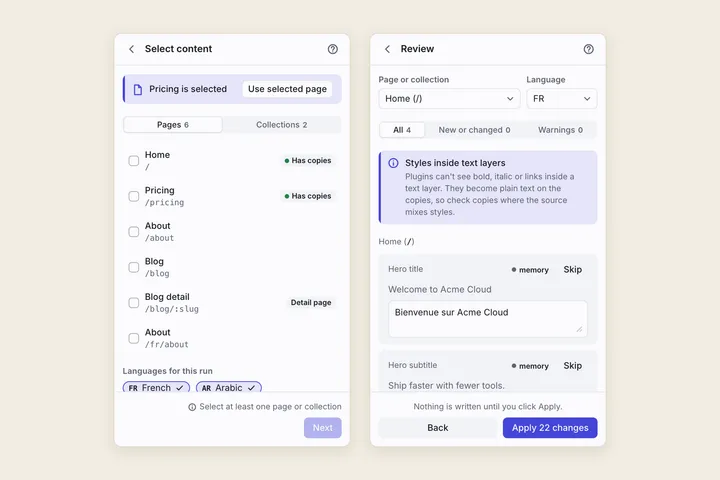
Select content and review before writing -
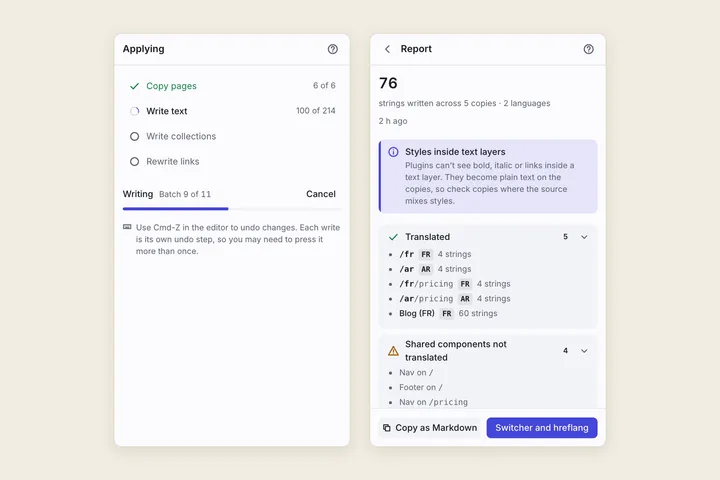
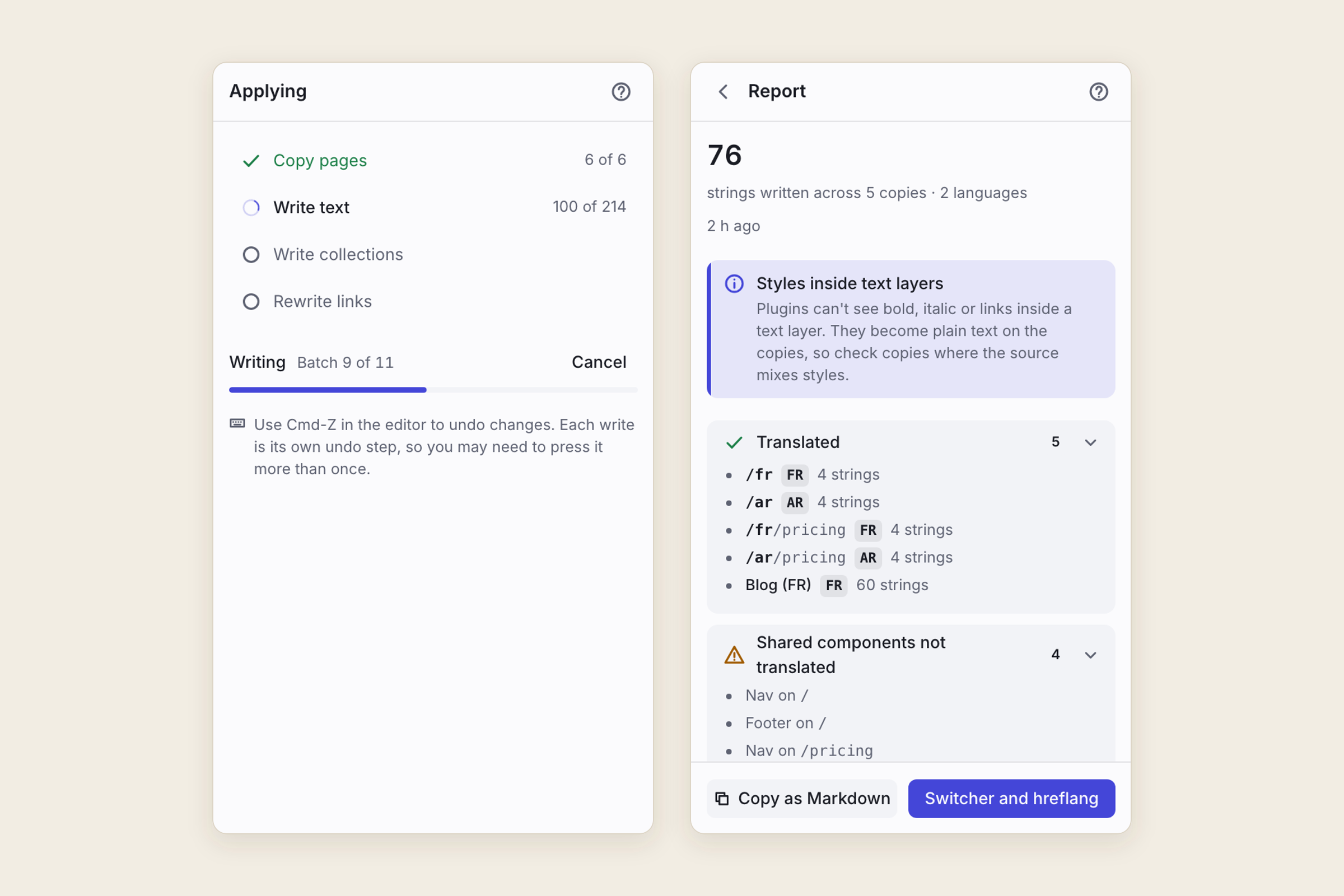
Apply progress and the report -
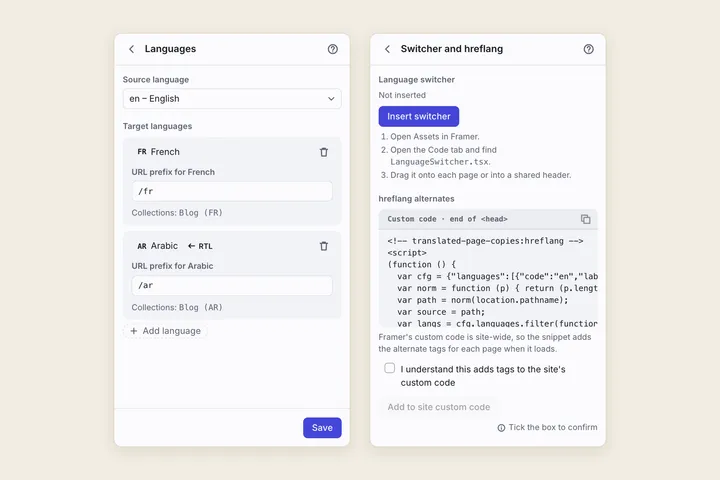
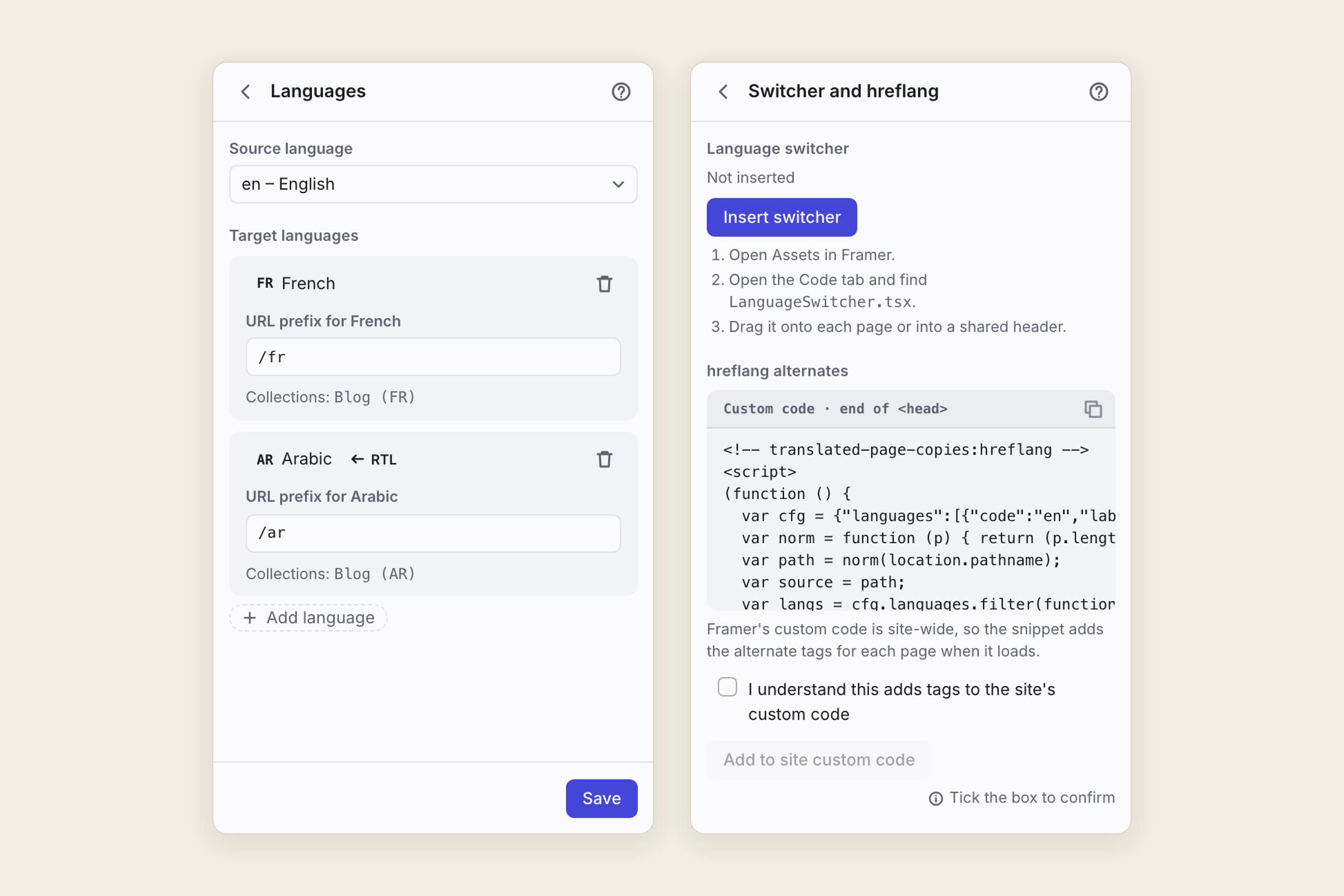
Languages and the switcher with hreflang
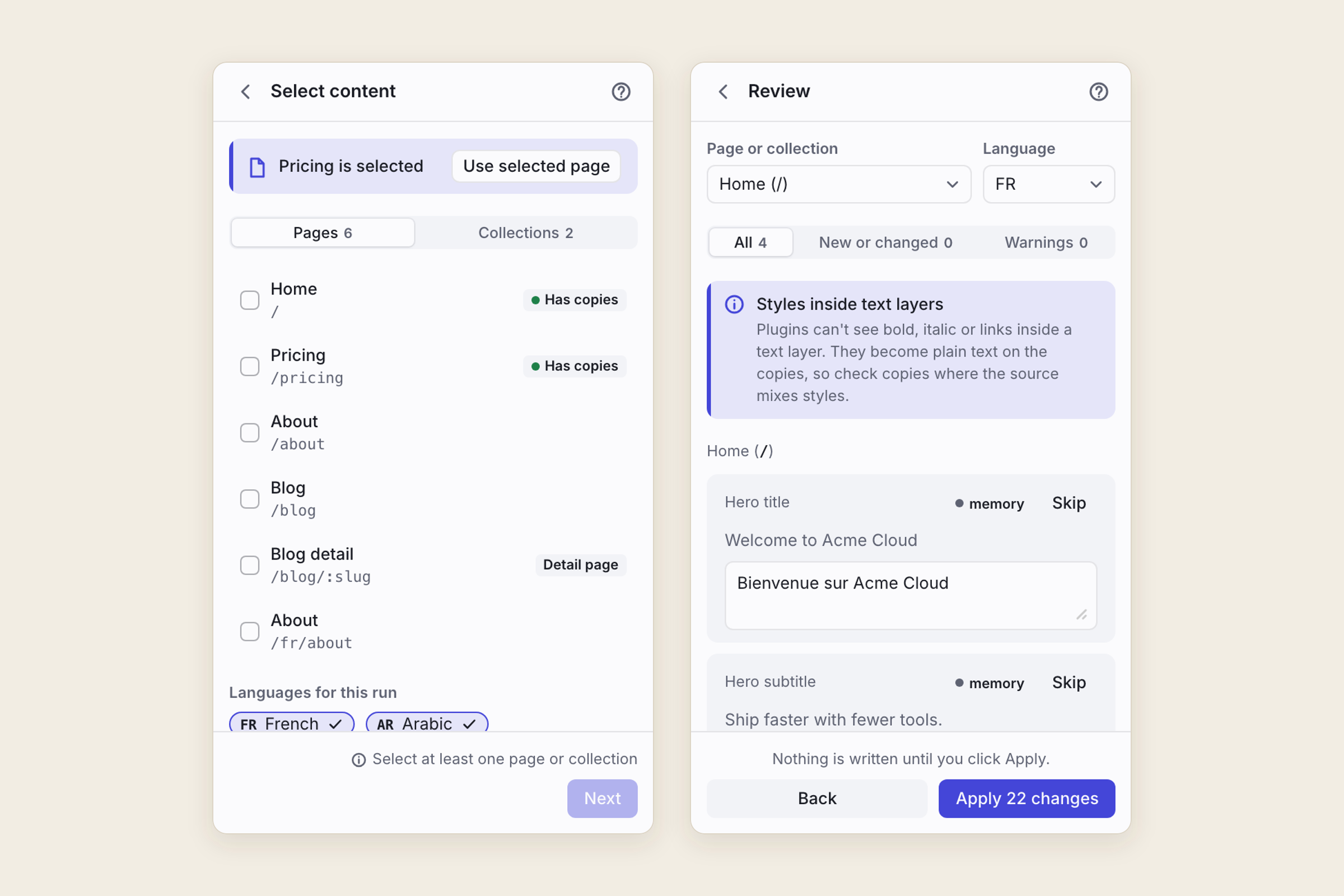
What it does
Pick pages in your Framer project and a language such as French. Translated Page Copies copies each page to its own path, such as /fr/pricing, as a draft, and translates the text on the copy. Your source pages are never changed. The copies are ordinary Framer pages, so each language has its own URL that search engines can index, and you don’t need Framer’s Localization add-on (which costs $20 per language per month).
- CMS collections too. Select a collection and the plugin creates one per language, for example Blog (FR), with the same fields and slugs. Text is translated; images, dates and other fields are copied as they are.
- Links follow the language. Internal links on a copy point to the translated page when one exists. The ones that can’t are listed in the report.
- A language switcher. The plugin inserts a LanguageSwitcher code component that you drag onto your pages.
- hreflang, if you want it. It can add hreflang alternate tags to your site’s custom code, only after you tick a box to agree.
- Review before anything is written. Every string is shown with its translation. Edit it, or skip it. Nothing touches your project until you click Apply.
- A report after each run lists what was translated and every step left for you to do by hand.
- A glossary. Brand and product names on the do-not-translate list stay as written, and fixed translations are used for the terms you set.
- Update translations (Pro). After you edit a source page, the plugin updates the copies in place and translates only the new or changed text, from a translation memory stored with the copies. Edits you made on a copy are kept. Home shows Source changed as soon as a source page or collection changes.
How it translates
- Your own key. Use an OpenAI, Anthropic or Google Cloud Translation API key. The plugin calls that provider straight from your browser, and the provider bills you for what you use. The key stays in this browser’s local storage, never in the project.
- Or files, for free. Export a CSV or XLIFF 1.2 file, translate it anywhere (in DeepL, or with an agency), and import it back. DeepL works this way because it blocks calls from the browser.
Who it’s for
Freelancers, small agencies and startup teams who run Framer sites on a regular plan and want real translated pages and CMS items, with their own URLs, without a monthly fee per language. It suits client work where translations need a review before they go live.
It isn’t a hosted translation service: you bring a key or translate the file yourself. It doesn’t redirect visitors by country, and it doesn’t use Framer’s native locales.
What it can’t do
Framer doesn’t give plugins everything, and the report says so after every run:
- Bold, italic or links inside a text layer become plain text on the copies. Plugins can’t see styles inside a layer, so check the copies of layers that mix styles. A link set on a whole layer is kept.
- Shared components such as your navigation and footer aren’t translated per page: the same component appears on every copy.
- Page titles and meta descriptions have to be set by hand on each copy.
- A copied CMS detail page stays bound to the source collection until you choose the translated one.
- Right-to-left languages need their text alignment set by hand.
- If a collection with the target name already exists, the plugin asks before using it.
- Copies are drafts. You publish them when you’re ready.
Pricing
Free covers 1 language, 3 pages and 1 collection of up to 25 items, with every engine and the file route. Pro is a one-time licence for $69 USD that removes the limits and adds Update translations. It works on up to 3 activations and is bought outside Framer through a Lemon Squeezy checkout. Your translation provider bills you directly for its own usage.
Your data
The plugin runs inside the Framer editor, in your browser. I run no server for it and there are no analytics. The text you translate goes only to the provider you pick (OpenAI, Anthropic or Google Cloud Translation), straight from the plugin, with your own key. The file route sends nothing anywhere. Licence checks go to Lemon Squeezy with your licence key and an activation ID only. Your provider keys, licence and preferences are kept in your browser's local storage on your own device, never in the project. Small markers the plugin needs to keep copies in sync (source fingerprints, languages and settings) are stored in your Framer project.
The privacy policy has the details.
Help and policies
Get the next thing I make.
Essays, video essays, and small tools — I make everything myself and send one short email a week with the best of it. No noise.