Recipe to List
A recipe library and grocery list for iPhone with no account and no subscription. Save recipes from the web, pick this week's, and get one merged shopping list you can check off fast or send to Reminders.
- Works with
- iPhone, iOS 18 or later
- Get it from
- App StoreListing coming soon
- Status
- In development
- Support
- support@christianortiz.studio
-
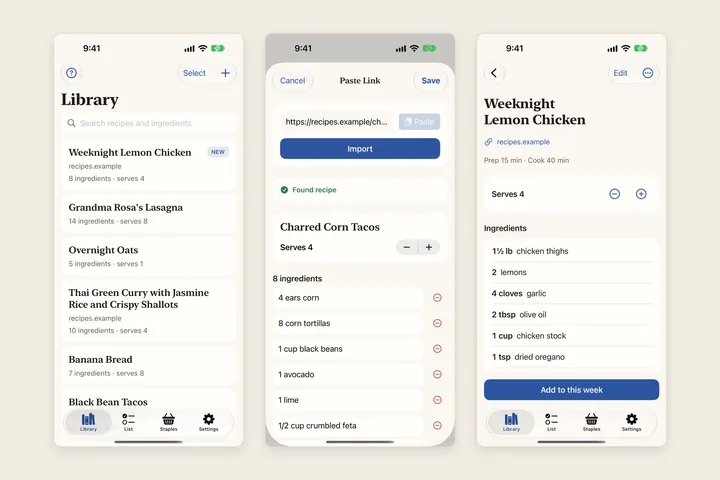
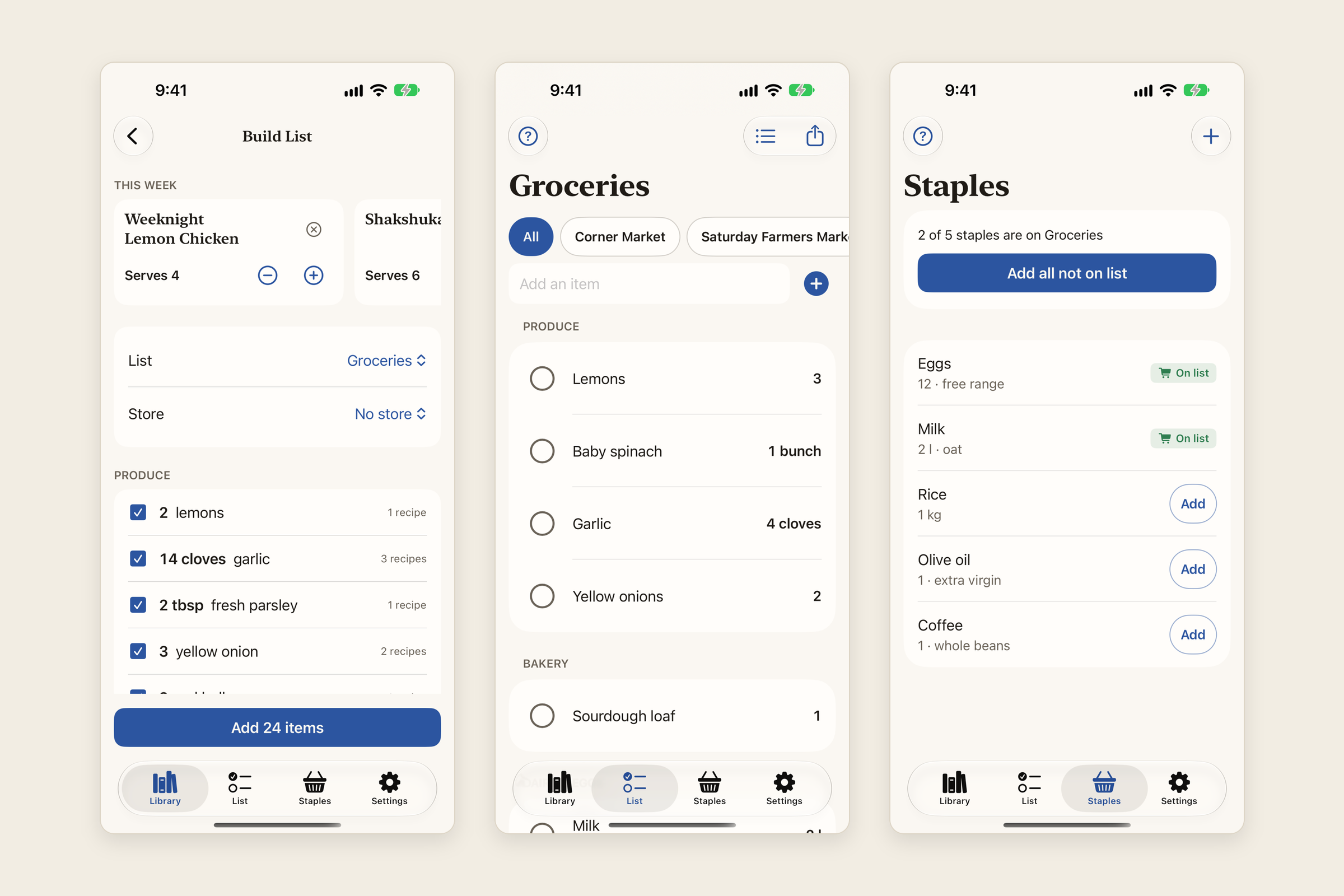
Library paste link import and recipe -
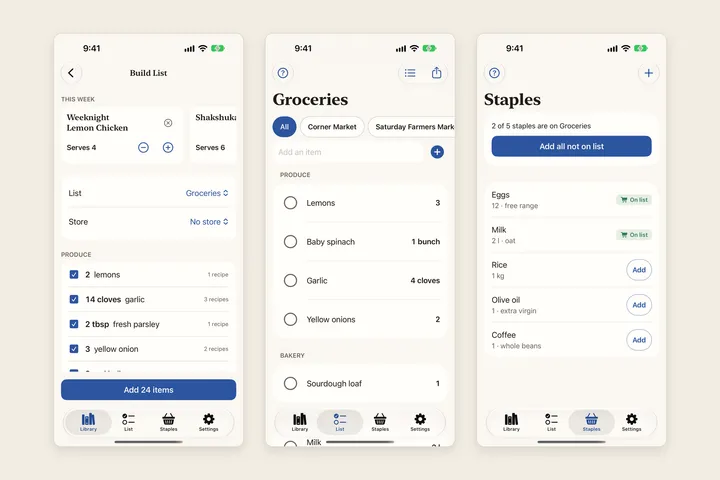
Merged list shopping list and staples -
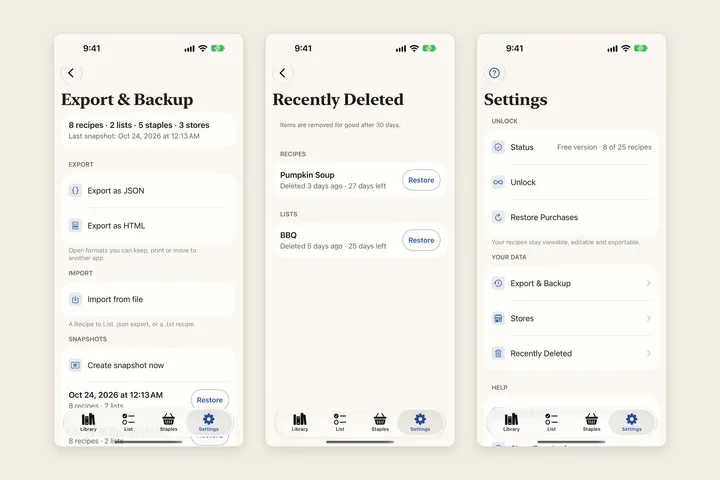
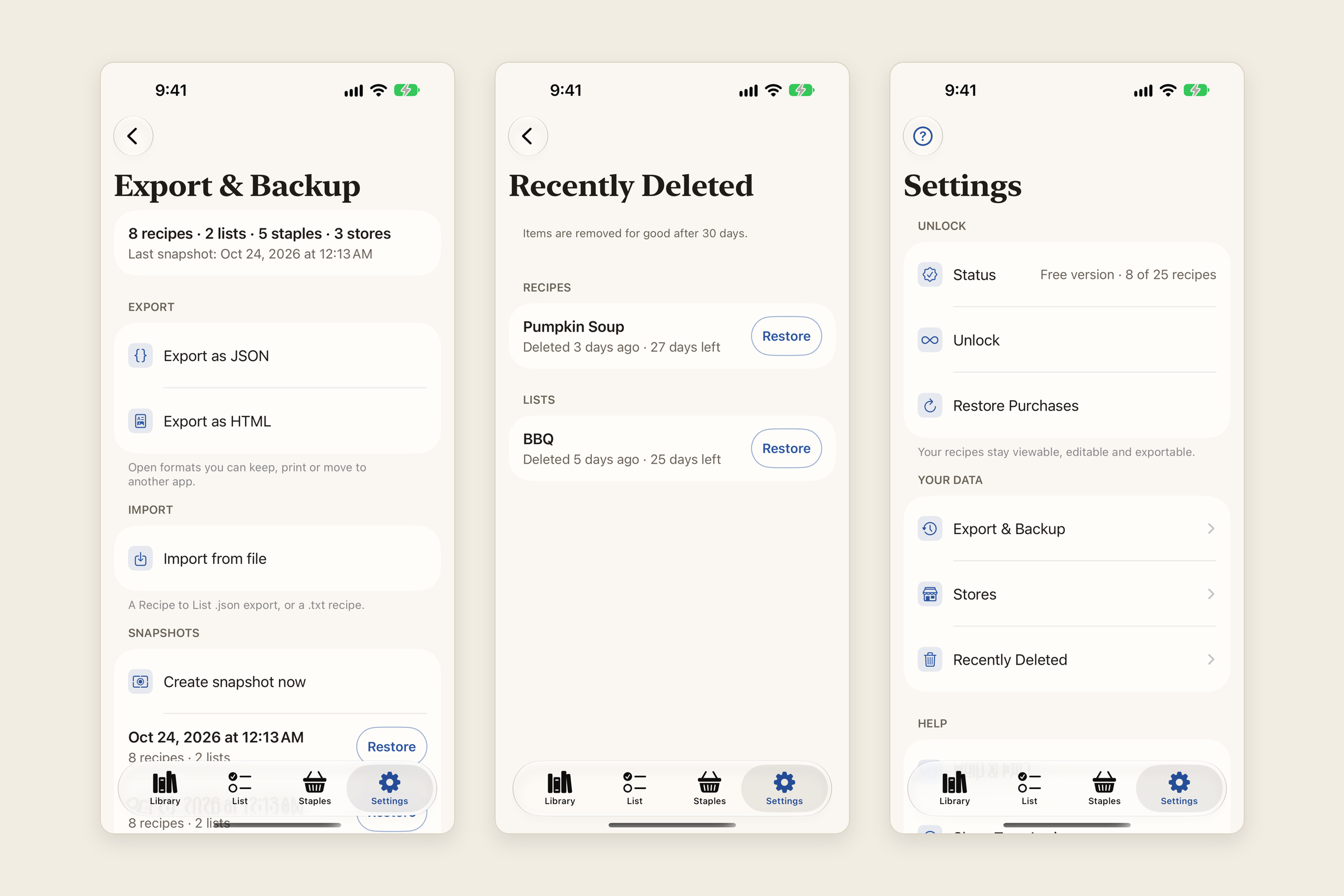
Export backup recently deleted and settings
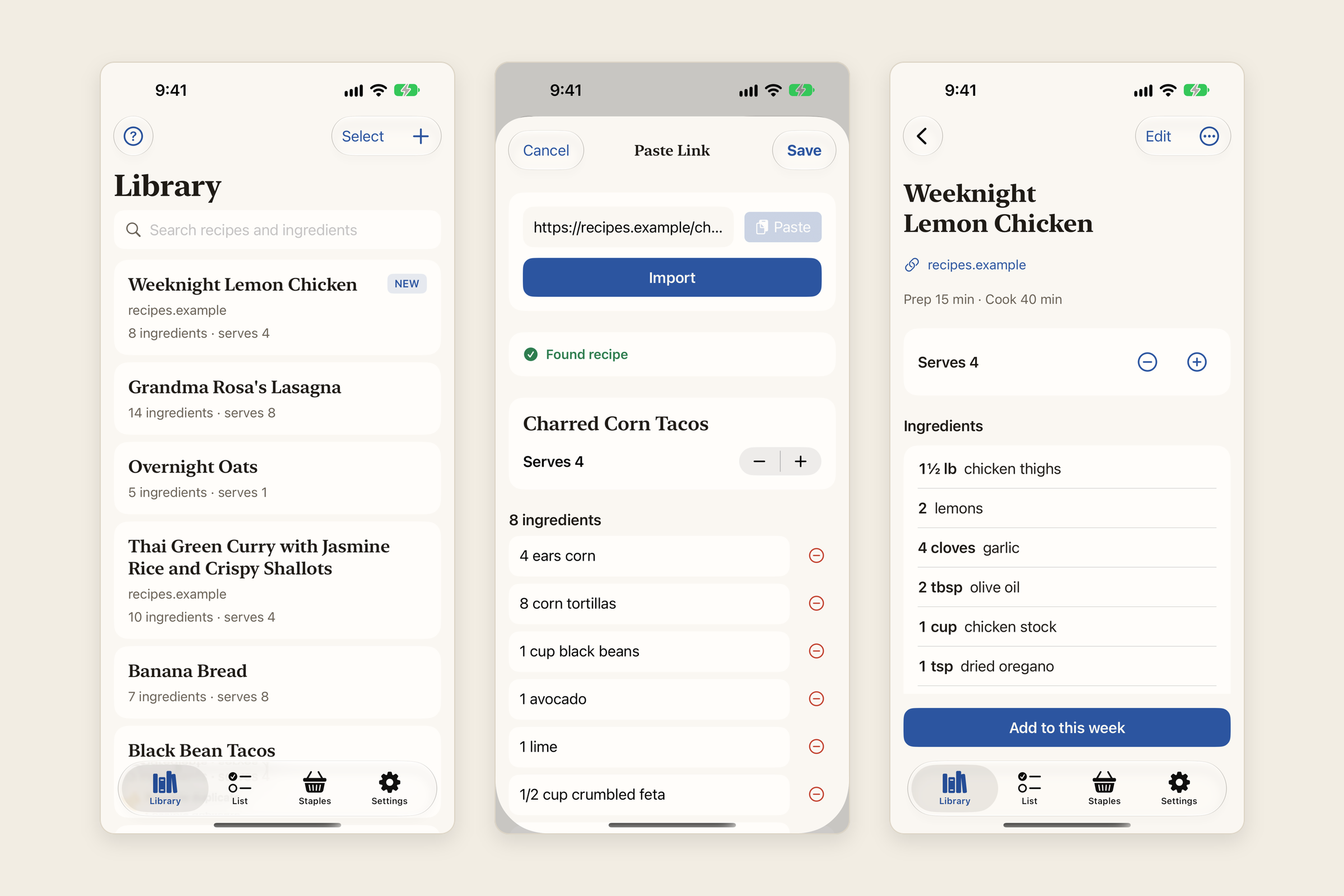
What it does
Recipe to List keeps the recipes you cook and turns the ones you pick for the week into one shopping list.
Save a recipe from the web. Copy a recipe page’s link in Safari, then tap Add Recipe → Paste link. The app reads the page’s recipe data and shows a preview you can edit before you save. No link? Paste text, Type manually, or Import file.
Pick this week’s recipes. Tap Select in the Library, choose recipes and set the servings. Build List scales every recipe and merges the same ingredient across recipes, so “1 cup” and “2 tbsp” of the same thing become one line. Untick what you already have, choose a list and a store, and add the rest.
Shop fast. Items are grouped by aisle. Adding an item is instant, and the app remembers its quantity, note and store for next time. Checked items tuck away under Checked, so what’s left stays on top. Keep more than one list, filter by store, and keep a list of Staples you buy every week.
Take it anywhere. Send the list to Apple Reminders or share it as text. Export your whole library as JSON or HTML. The app keeps a daily snapshot on your iPhone, and deleted recipes and lists wait in Recently Deleted for 30 days.
Who it’s for
Home cooks who save recipes from the web and want a weekly grocery list built from them, without an account, a subscription or a server in the way. It’s for one person on one iPhone; it isn’t a meal planner, a shared household list or a grocery delivery app.
The problems it fixes
- Your own recipes behind a paywall. Viewing, editing, exporting and restoring your data are always free. The one-time unlock only lifts the 25-recipe limit on saving more.
- Subscriptions and surprise trials. There’s no subscription and no trial. One optional purchase, with the price shown before you buy.
- Accounts, sign-ups and server errors. There’s no account. The app opens straight to your Library and works offline; only importing from a website needs a connection.
- Imports that fail or vanish. Every import opens an editable preview, new recipes come first with a NEW badge, and a recipe you already saved is flagged as a possible duplicate. If a page has no recipe data, paste the text instead.
- Ingredients added that you already have. Build List shows every merged ingredient with a checkbox, so you untick what’s at home before anything is added.
- A slow, cluttered list in the store. Adds are instant, checked items collapse out of the way, and notes and quantities are kept.
- No way out. Lists go to Reminders or plain text, and the library exports as JSON and HTML.
- Lost recipes. Recently Deleted keeps recipes and lists for 30 days, and the newest 7 daily snapshots can be restored from Settings.
Pricing
Free to download, with up to 25 saved recipes and unlimited lists, items, staples, stores, exports and snapshots. One optional one-time in-app purchase unlocks unlimited saved recipes. Viewing, editing, exporting and restoring your data are always free. No subscription, no trial and no ads. The price will be on the App Store.
Your data
The app collects no data. Your recipes, lists, staples, stores and backups are stored only on your iPhone and never sent to me or anyone else. There are no accounts, no servers, no analytics, no ads and no tracking. When you import a recipe from a link, your iPhone fetches that one page directly from the recipe site. Reminders access is asked for only when you send a list there. The one-time unlock is bought and checked through Apple; the app never sees your payment details.
The privacy policy has the details.
Help and policies
Get the next thing I make.
Essays, video essays, and small tools — I make everything myself and send one short email a week with the best of it. No noise.