Countdown to the Minute
An ad-free countdown app for iPhone with Home Screen and Lock Screen widgets. Count down to an exact date and time, in calendar days you can trust, with one big, honest number.
- Works with
- iPhone, iOS 18 or later
- Get it from
- App StoreListing coming soon
- Status
- In development
- Support
- support@christianortiz.studio
-
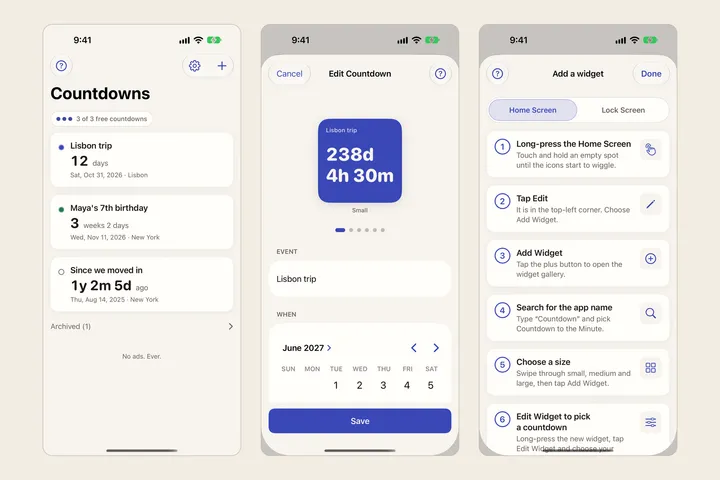
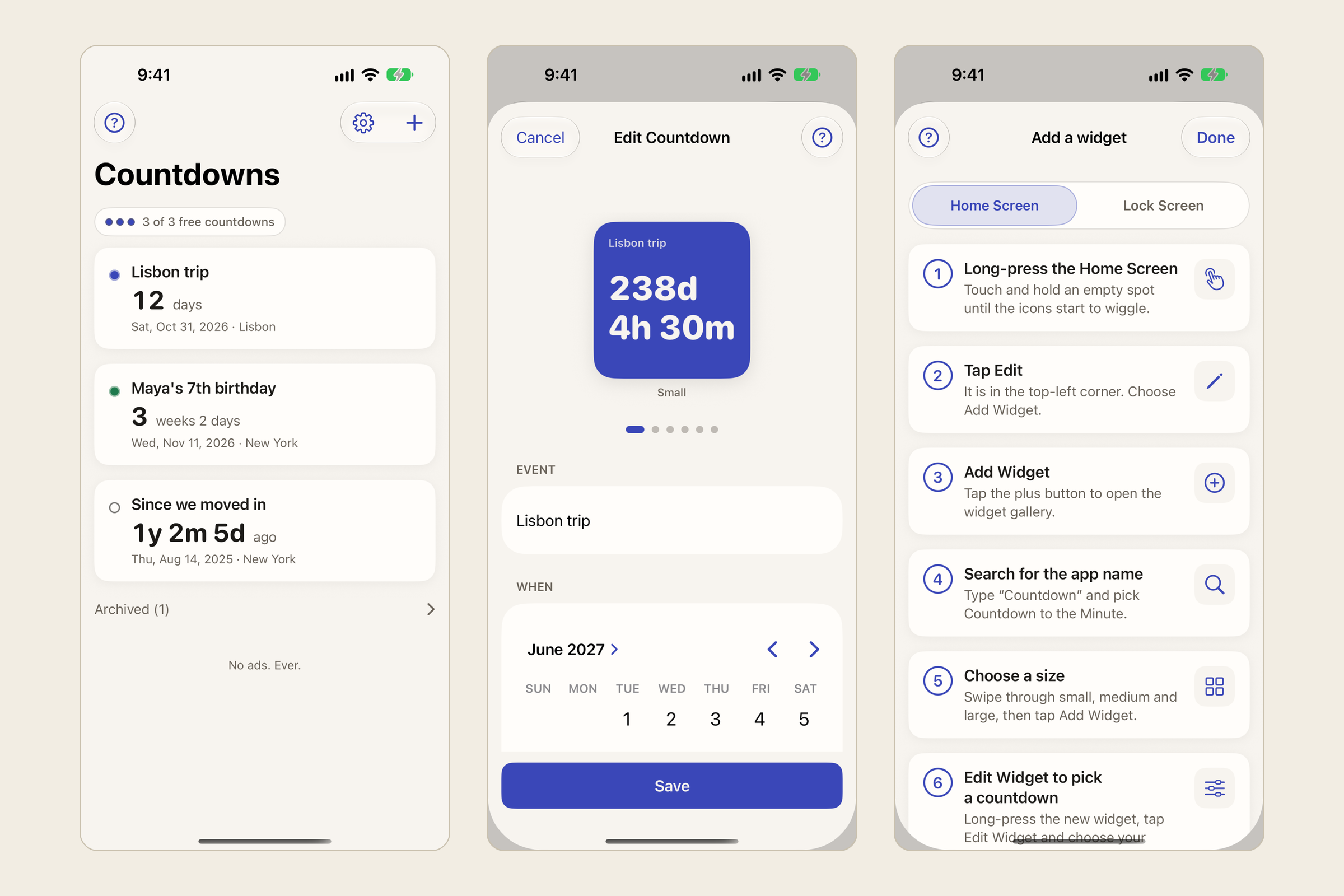
Countdown list editor and widget guide -
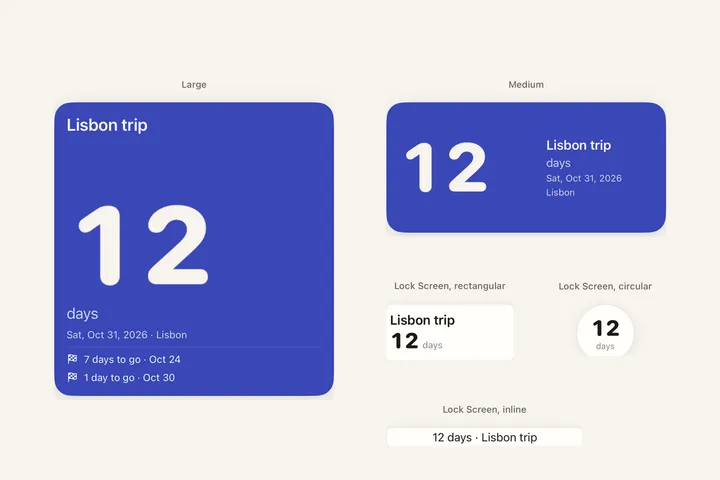
Home screen and lock screen widgets -
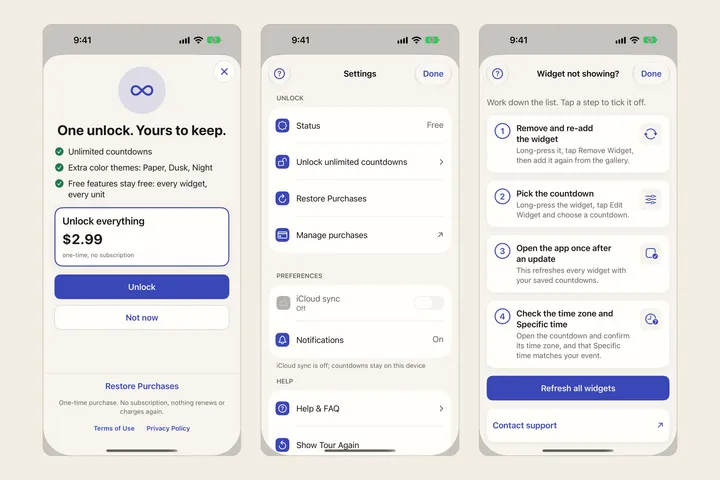
One time unlock settings and widget checklist
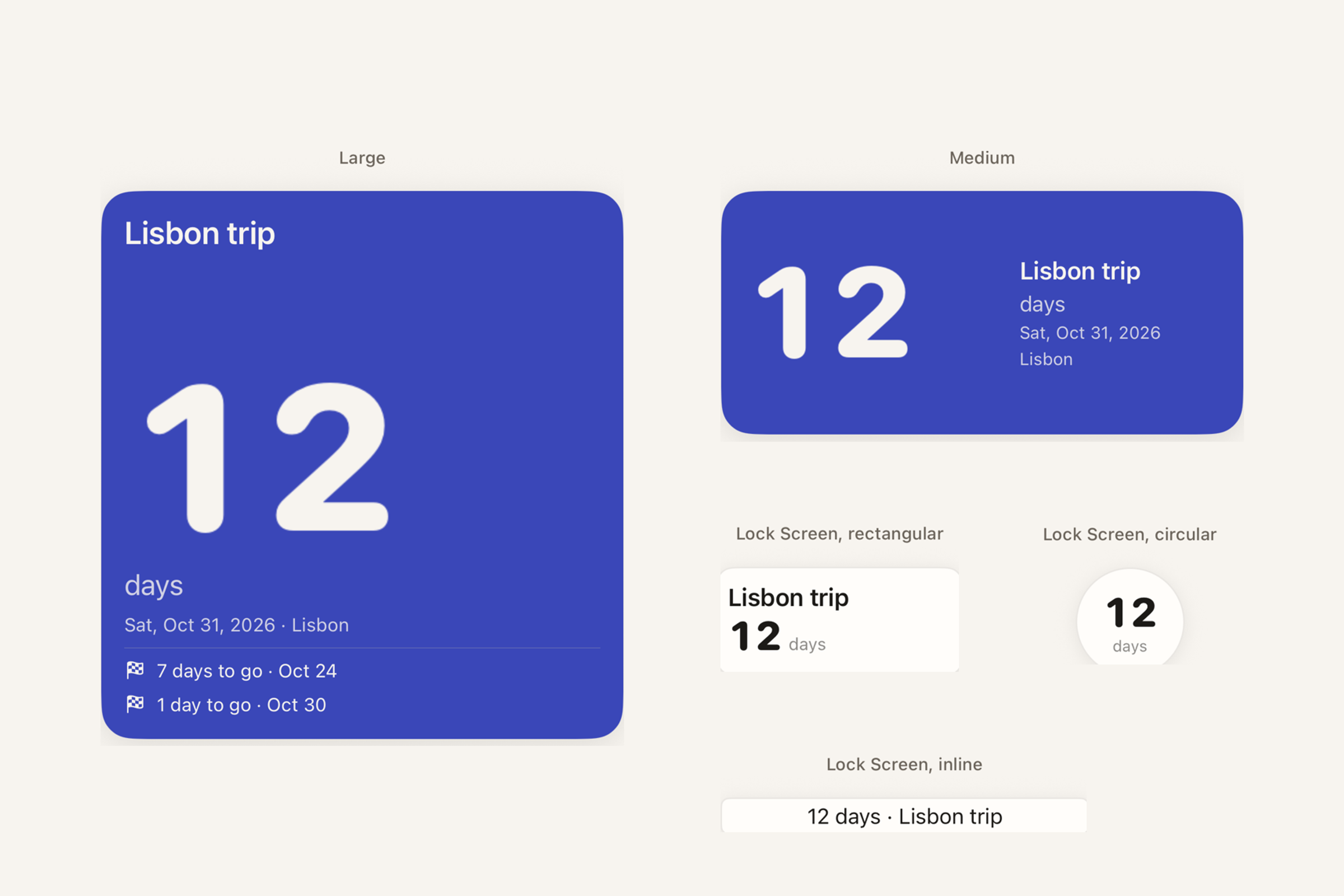
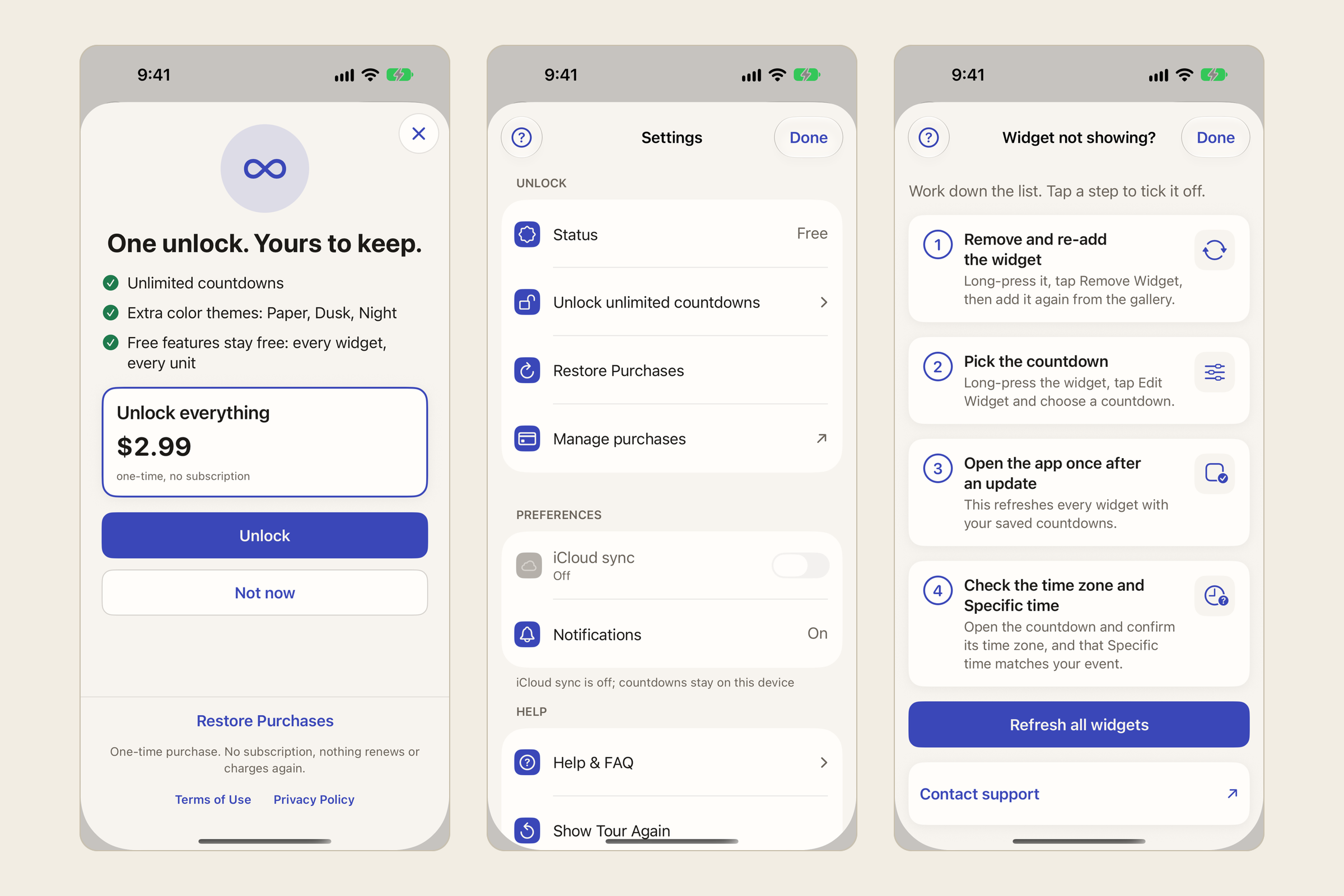
What it does
Countdown to the Minute counts down to the things you’re waiting for, such as a trip, a birthday, the first day of school or a deadline, and shows the number right on your Home Screen and Lock Screen.
Give each countdown a name, a date and, if you want, an exact time and time zone, such as a flight’s departure in another city. Days are counted as real calendar days in the event’s own time zone, so the number is right and changes at local midnight, through daylight saving changes and leap years.
Choose how it reads: Days, Weeks, Y/M/D, D/H/M or Live seconds. Big numbers shrink to fit, so four digits never get cut off, and you can make the number bigger. Past dates count up (“1y 2m 5d ago”), and a finished countdown can turn into a count-up. Countdowns can repeat yearly, monthly or weekly, skip weekends, and remind you at the moment and at milestones.
Widgets come in small, medium and large for the Home Screen, and rectangular, circular and inline for the Lock Screen. Each widget shows the countdown you pick, and every widget uses the same formatting as the app, so they always agree. They update at each local midnight and at the moment your event arrives.
Who it’s for
Anyone who wants a calm, accurate countdown on their iPhone without ads, a subscription or an account. It’s for personal events; it isn’t a calendar, a timer or a shared countdown.
The problems it fixes
- Ads over your countdown. There are none, ever.
- Subscriptions for a simple widget. Every widget size, every unit and up to 3 active countdowns are free. One optional one-time unlock adds unlimited countdowns and extra themes.
- Day counts that are off by one. Days are calendar days in the event’s time zone, not hours divided by 24.
- Countdowns that can’t stop at an exact time. Turn on Specific time and count to the minute.
- Widgets that disagree with the app, or go stale. One formatter drives the app and every widget, and widgets refresh at midnight and at the event.
- Numbers that get cut off. Big numbers shrink to fit, and no unit is truncated.
- Widgets you can’t get working. A guide shows how to add each widget, and a checklist fixes one that doesn’t show.
- Countdowns lost after an update. They’re carried forward through updates. If the app ever can’t read them, it shows recovery options and keeps your old data file instead of a blank screen.
Pricing
Free to download, with 3 active countdowns and every widget, unit and free theme. One optional one-time in-app purchase unlocks unlimited countdowns and extra color themes. No subscription and no ads. The price will be on the App Store.
Your data
The app collects no data. Your countdowns are stored only on your iPhone, in a space shared by the app and its widgets, and never sent to me or anyone else. There are no accounts, no servers, no analytics, no ads and no tracking. Reminders are scheduled on your iPhone by iOS. The one-time unlock is bought and checked through Apple; the app never sees your payment details.
The privacy policy has the details.
Help and policies
Get the next thing I make.
Essays, video essays, and small tools — I make everything myself and send one short email a week with the best of it. No noise.