Verified Bulk Editor
Bulk edit Shopify prices, compare-at prices, tags, metafields and image alt text in one task, then see every change read back from your store, with an exact revert to the original values when the sale ends.
- Works with
- Shopify
- Get it from
- Shopify App StoreListing coming soon
- Status
- In development
- Support
- support@christianortiz.studio
What it does
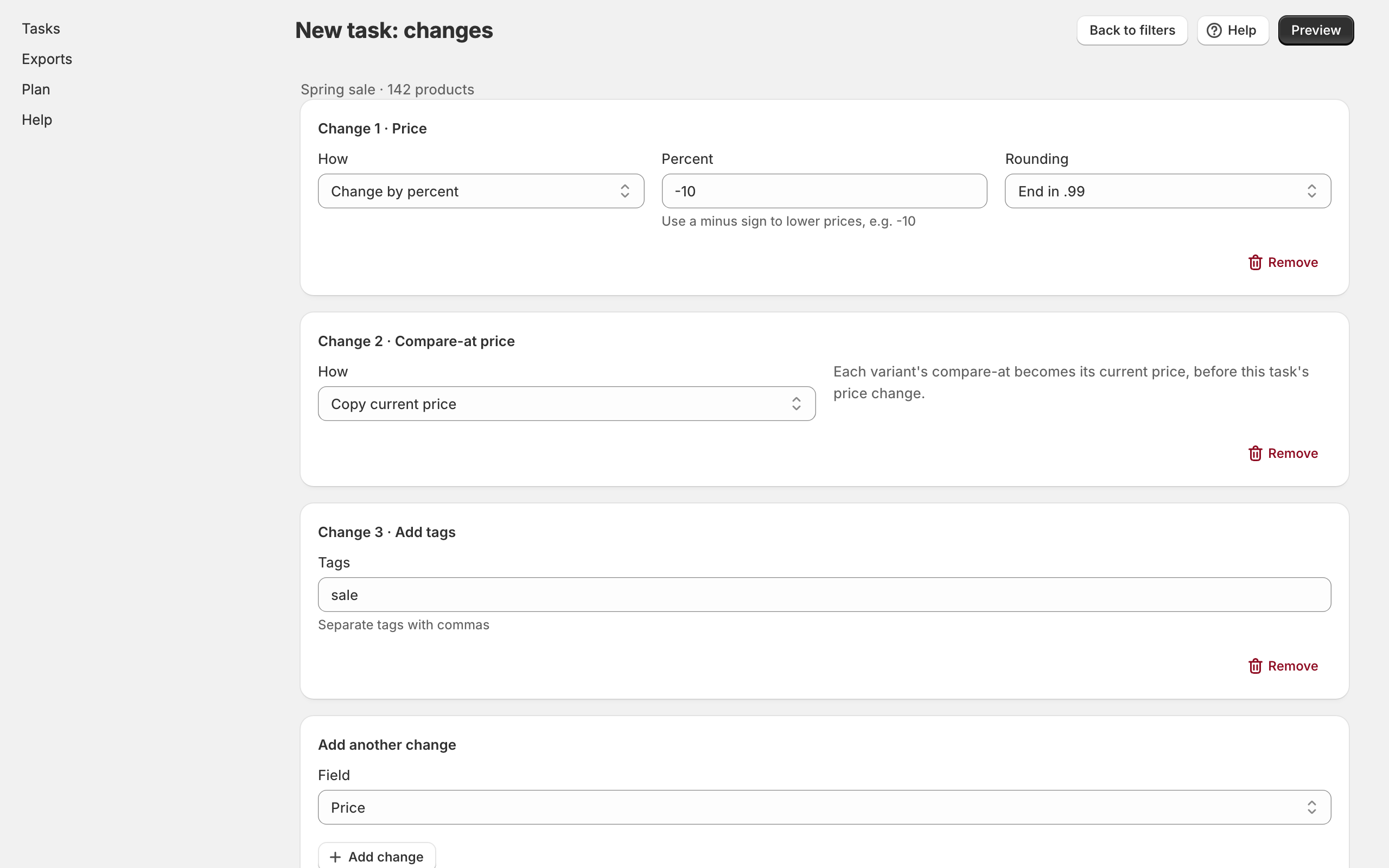
Verified Bulk Editor lets you build one task that changes many products at once: prices, compare-at prices, tags, metafields (including Google Shopping custom labels) and alt text on existing product images, all together.
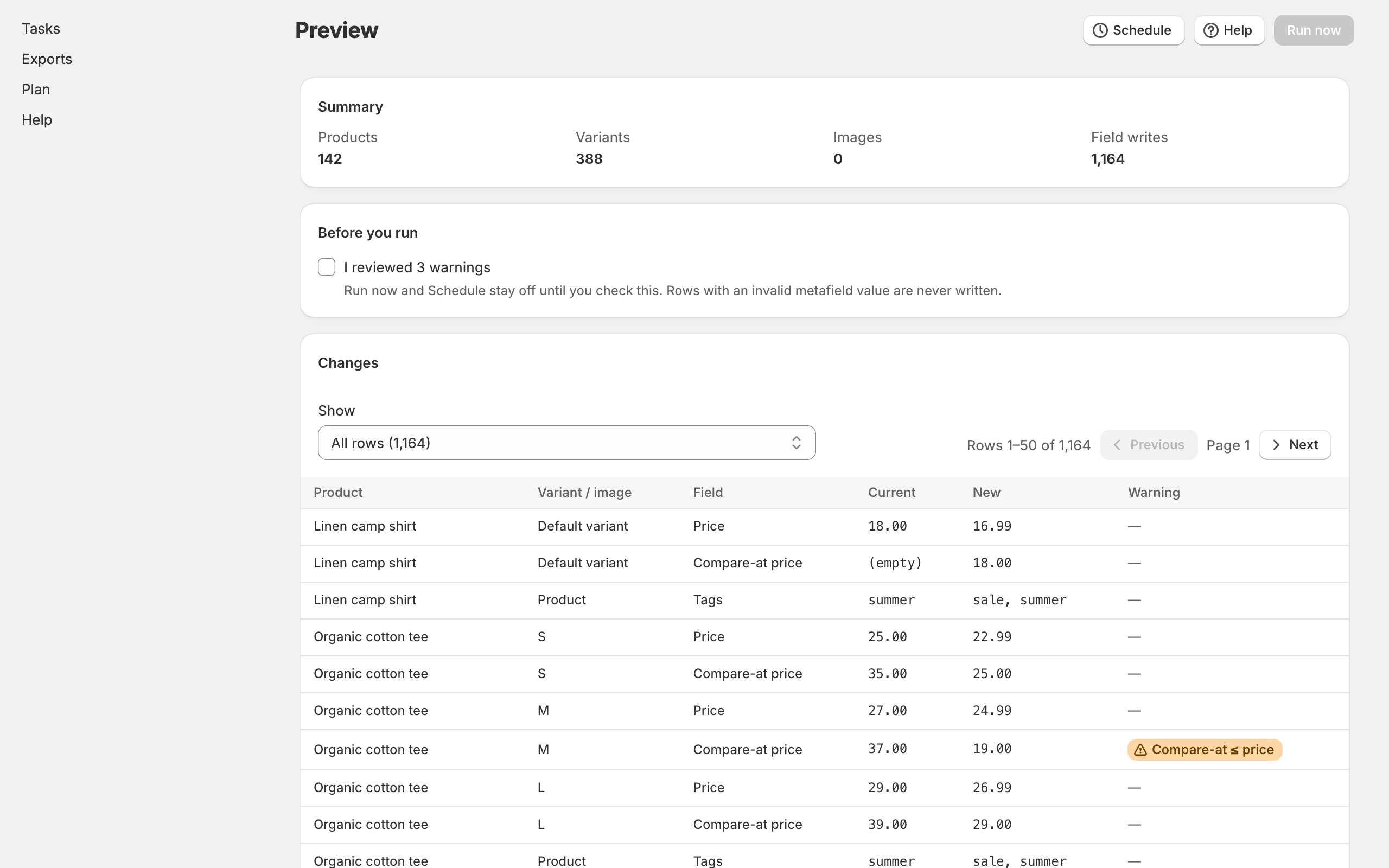
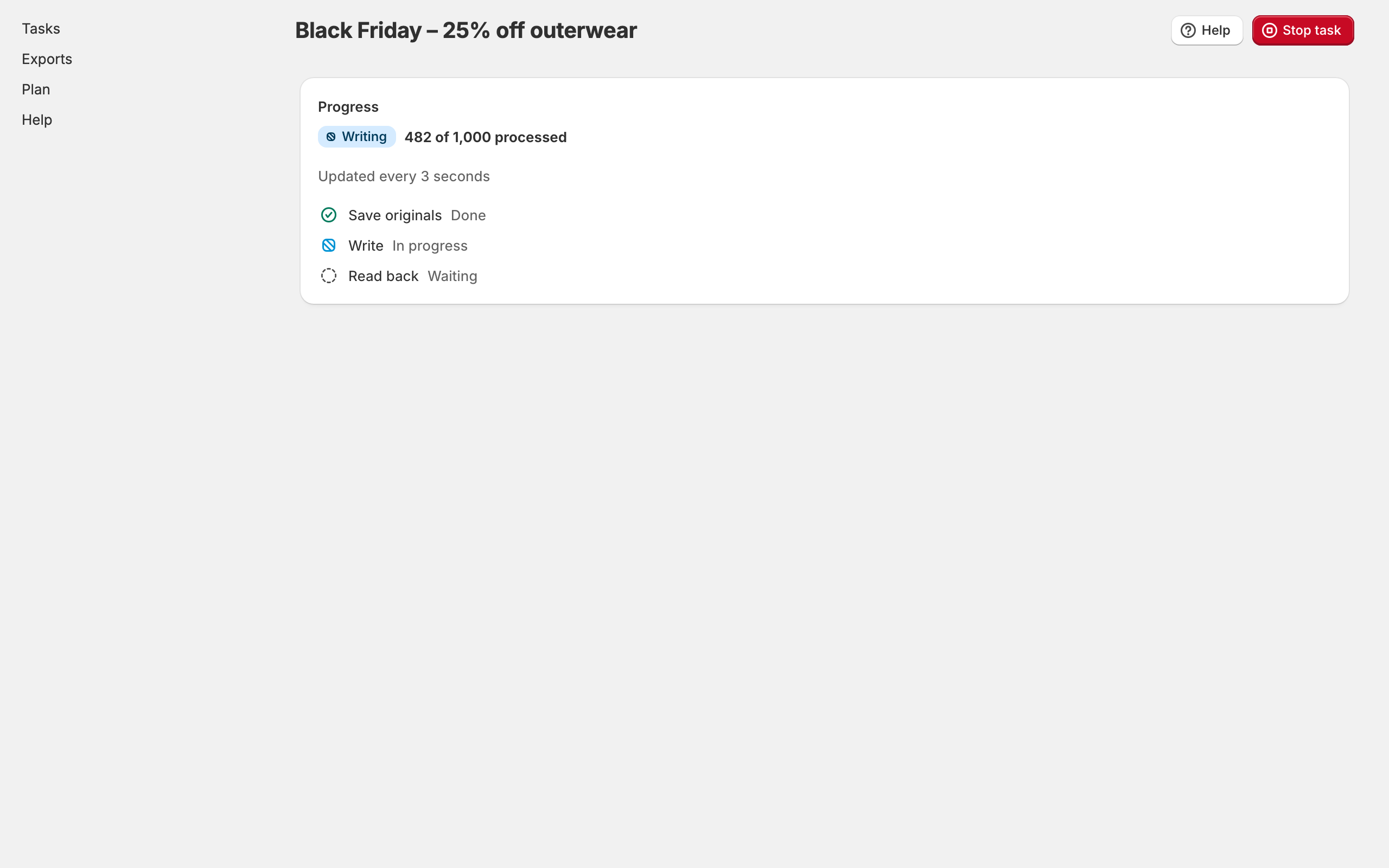
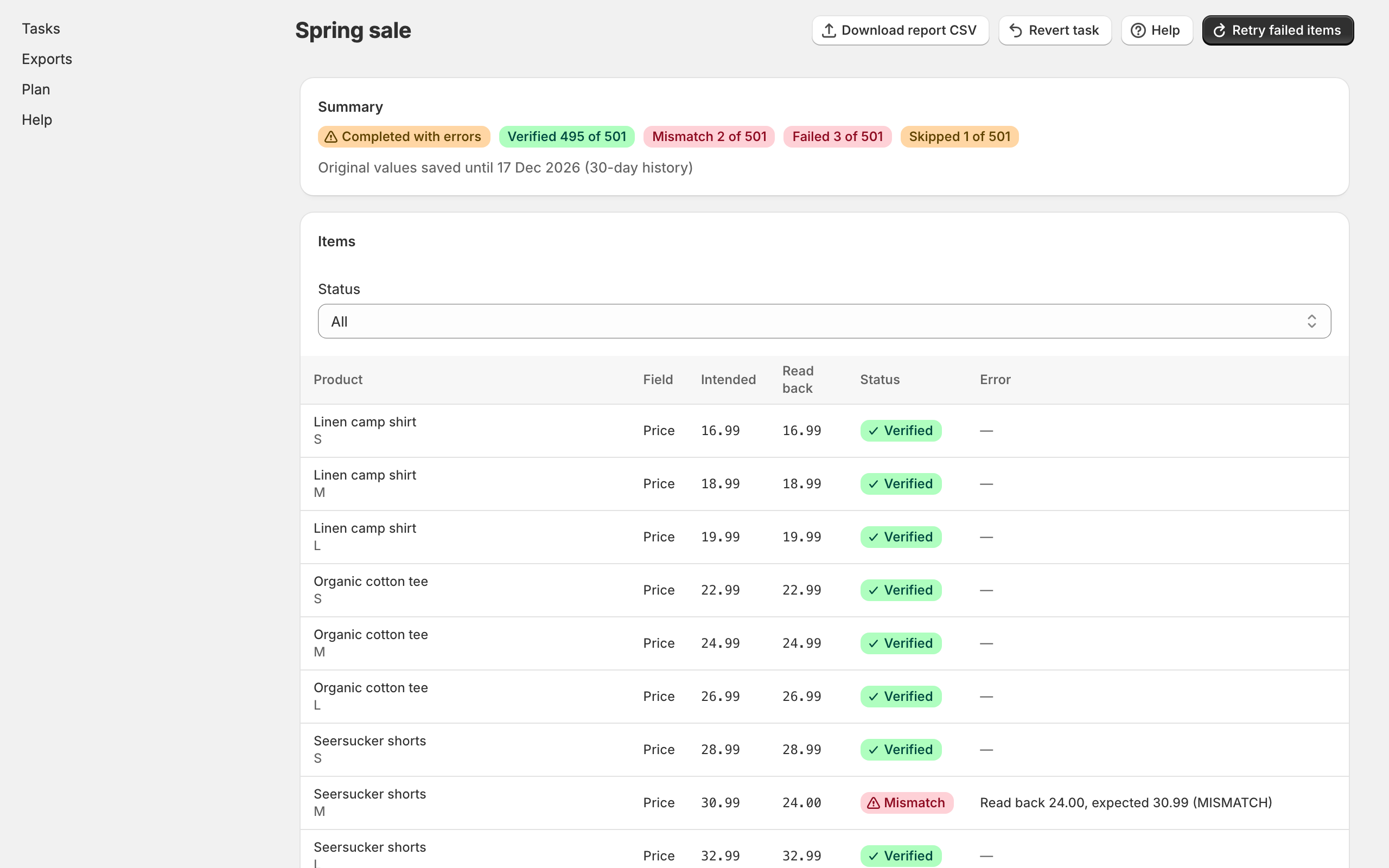
Before anything is written, you see every product and variant with its current and new value, and warnings for anything that looks wrong. When the task runs, the app first saves the original value of every field it’s about to change. Then it writes the changes, and then it reads every value back from your store and marks each one verified, mismatch or failed, with Shopify’s own error message when there is one.
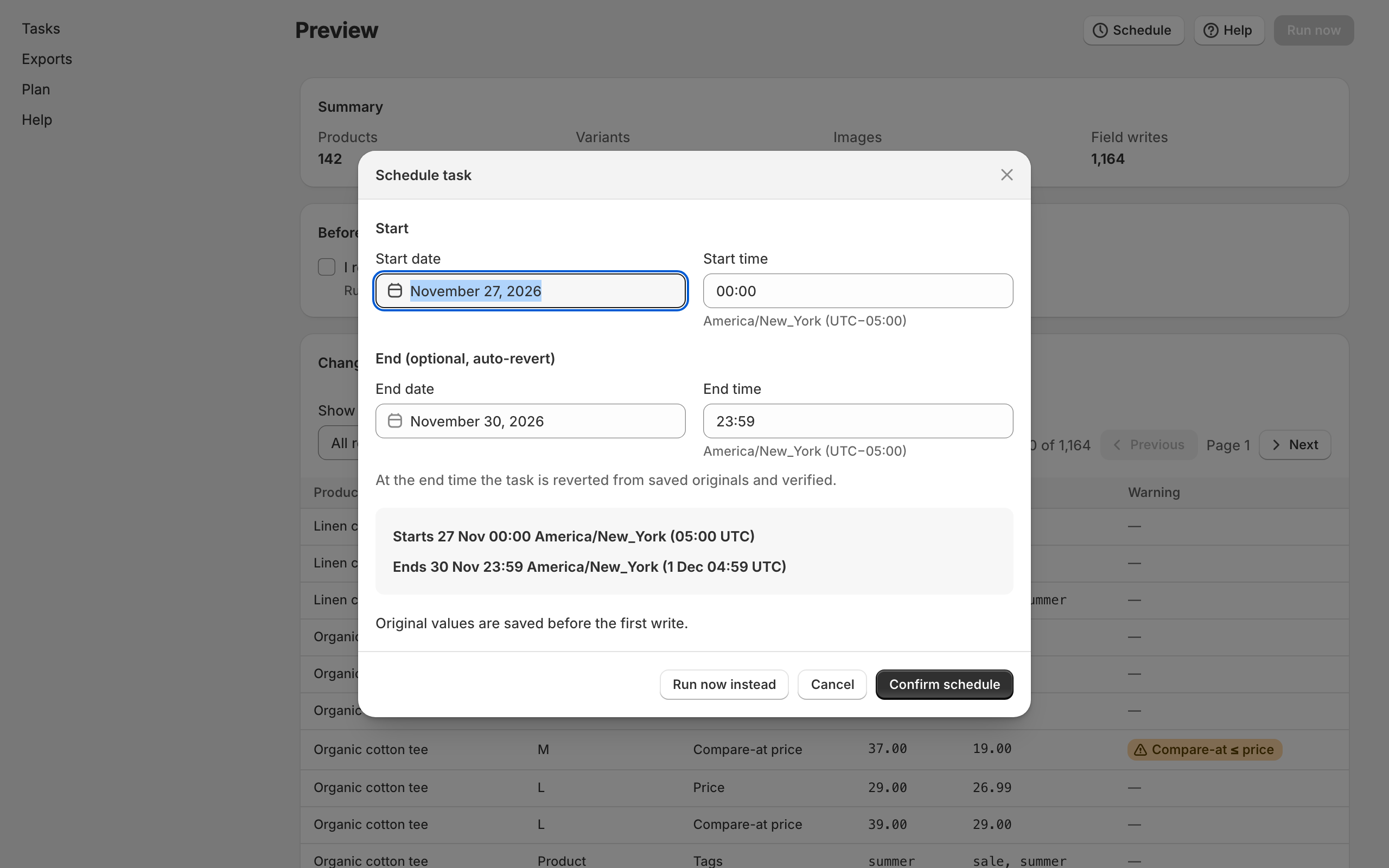
You can stop a running task at any time, and revert any task to the exact values it saved, with a count of what was restored. Schedule a sale’s start and end, and the end time reverts it automatically. Times are shown in your shop’s timezone and in UTC.
Who it’s for
Shopify merchants with sizeable catalogs who run timed sales, keep Google Shopping custom labels and other metafields up to date, or need to fix image alt text in bulk, and who need to know the result is right without spot-checking by hand.
It isn’t a wholesale or B2B price list tool, it doesn’t edit customers, orders or collections, and it doesn’t import CSV files.
The problems it fixes
- Apps say a bulk edit worked when nothing changed. Every written value is read back from your store and reported item by item.
- Reverts skip products or overwrite original prices. Originals are saved before any write and never changed afterwards. A revert writes exactly those values, empty compare-at prices included, and reports restored against saved counts.
- A running task can’t be stopped. Stop task halts after the current batch, and you can then revert only the items already changed.
- A failed revert breaks the app. Reverts are separate tasks that pick up where they stopped. A failure never blocks the rest of the app.
- Sales start early. Scheduled times show your shop timezone and UTC, and nothing is written before the start time.
- Alt text on existing images can’t be edited. It can, in bulk, from a template.
- Price and tag changes need two edits. One task holds every field change.
- Metafield labels are confusing. Fields show their namespace.key, type and owner, with presets for Google Shopping custom labels 0 to 4.
Pricing
Planned to have a free plan for up to 100 products per task, and paid Standard and Pro plans, monthly or yearly with a free trial, billed through Shopify. Exact prices will be on the Shopify App Store listing.
Your data
The app reads and changes product data only. It never asks for access to customers or orders. To make exact reverts and verification possible, it keeps the original, intended and read-back values of the fields each task changes, in the app's own database, for your plan's history window (30, 90 or 180 days). Everything it stores for your store is deleted within 48 hours of uninstalling. There is no analytics or tracking.
The privacy policy has the details.
Help and policies
Get the next thing I make.
Essays, video essays, and small tools — I make everything myself and send one short email a week with the best of it. No noise.