Steadfast Gantt Planner
A Gantt chart macro for Confluence pages that saves as you work, keeps your edits when a save fails, and lets you restore any of the last 20 versions. Milestones, phases, any work week, and long timelines included.
- Works with
- Confluence Cloud
- Get it from
- Atlassian MarketplaceListing coming soon
- Status
- In development
- Support
- support@christianortiz.studio
-
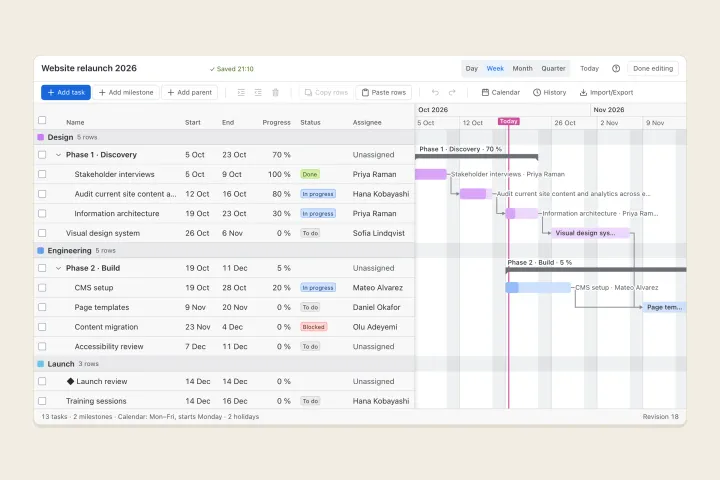
Chart editor -
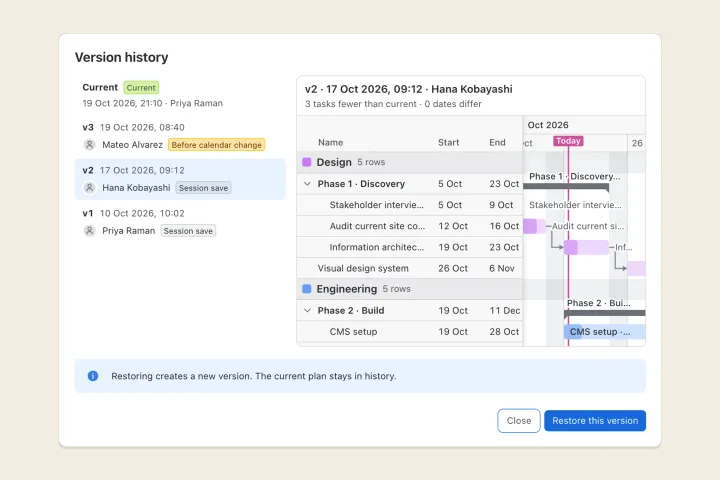
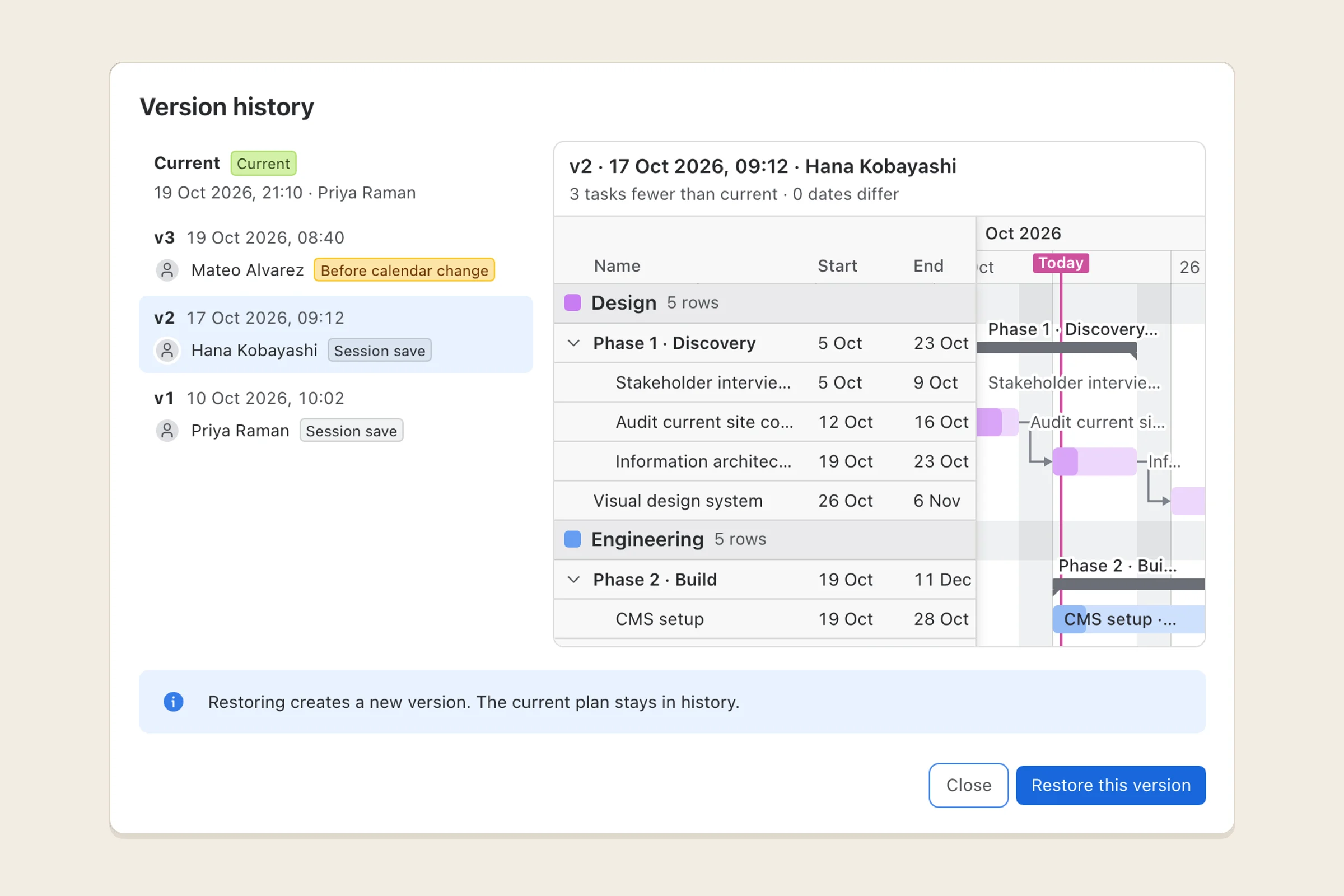
Version history -
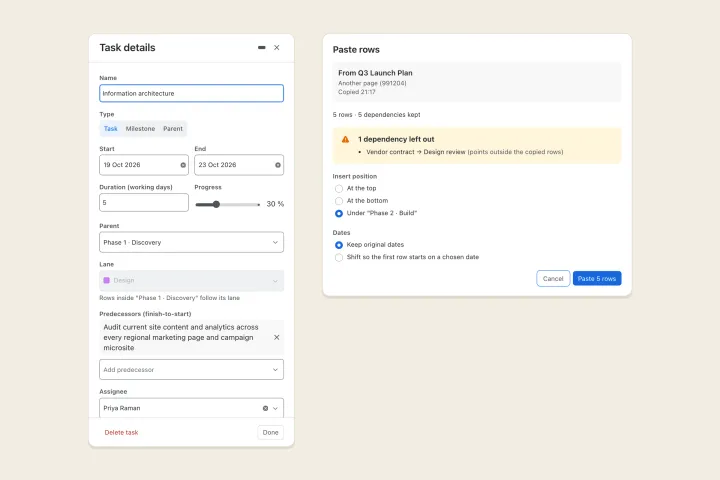
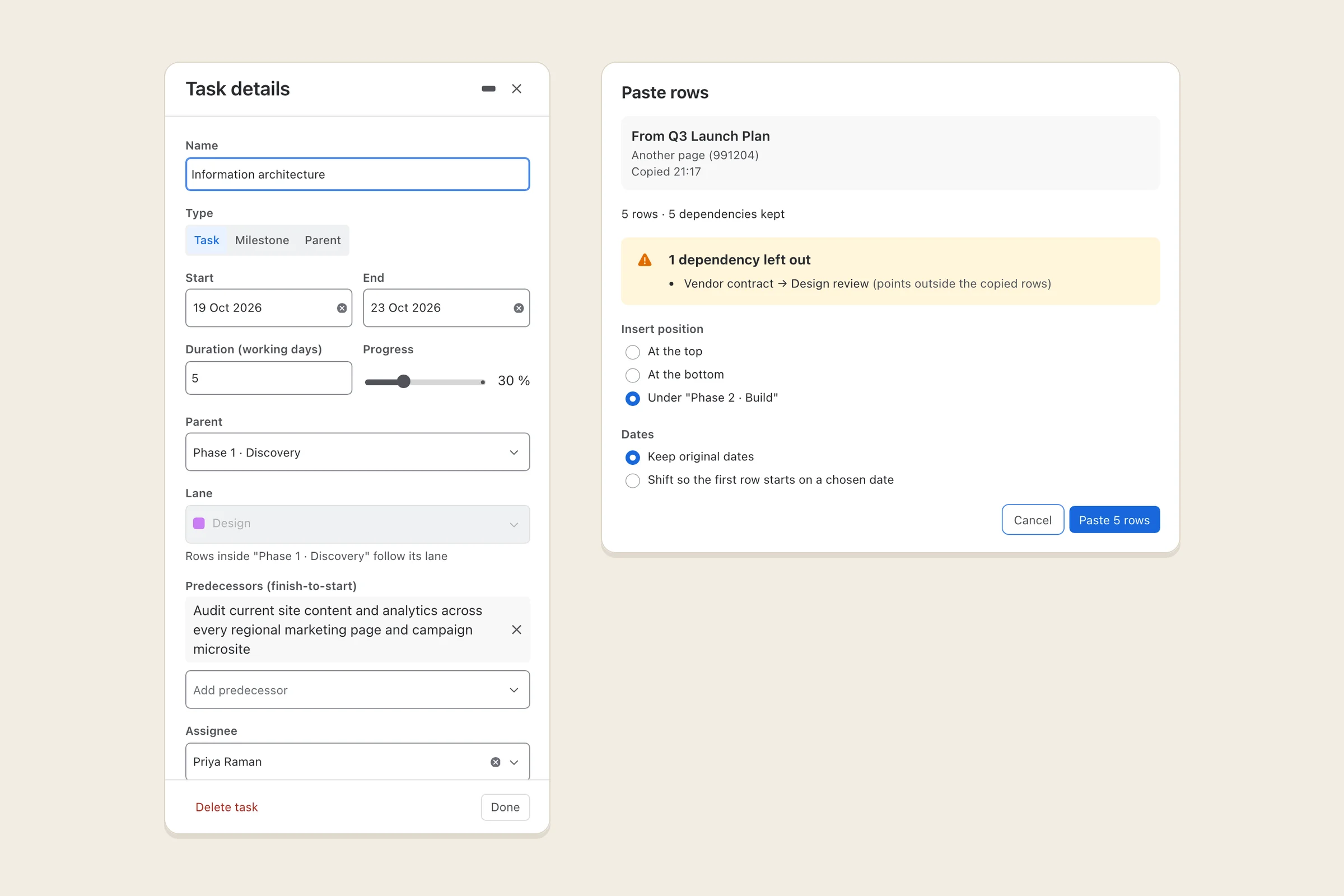
Task details and pasting rows
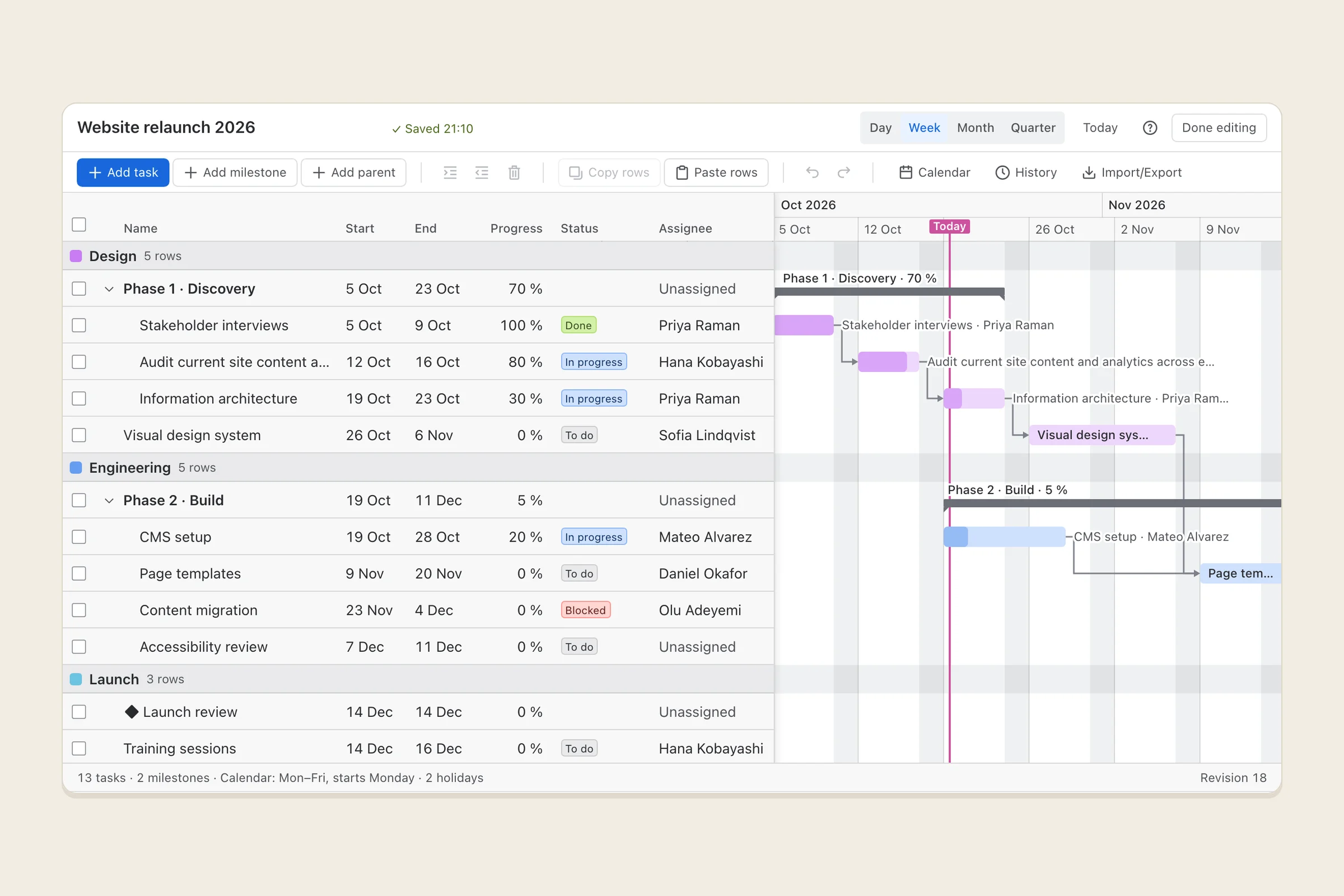
What it does
Steadfast Gantt Planner adds a Gantt chart macro to Confluence Cloud pages. Insert it, start from a blank chart or a sample plan, and lay out your project: tasks with start and end dates, finish-to-start dependencies, progress, milestones, and parent rows that group tasks into phases. Zoom by day, week, month or quarter, and scroll across months or years.
Every change saves itself a moment after you stop typing. If a save fails, because you went offline or a colleague saved at the same time, your edits stay on your device, the chart tells you exactly what went wrong, and you can retry, keep both versions, or download your edits. A version is saved at the start of each editing session, so you can always go back.
Each chart has its own working calendar: any combination of working days, any first day of the week (Saturday included), and a holiday list. Durations and dependency shifts follow it.
Who it’s for
Project and team leads on Confluence Cloud who plan schedules inside their wiki pages, especially long plans, plans grouped into phases, and teams whose work week isn’t Monday to Friday.
It isn’t a portfolio or resource planning tool, it doesn’t sync with Jira issues, and it doesn’t run on Confluence Server or Data Center.
The problems it fixes
- Saves fail with a generic error and work is lost. Edits are kept on your device until they’re saved, each failure names its cause, and nothing you typed is thrown away.
- Adding lanes or bars breaks the chart. Every change is checked before it’s saved, conflicting edits are detected instead of overwritten, and the last 20 versions can be restored.
- Charts don’t render, or spin forever. The macro always shows the chart, an empty state, or a specific error with Retry and a reference code.
- Long plans don’t fit. There are no low limits on tasks, lanes or length. The timeline scrolls sideways, and lane and phase labels stay pinned as you scroll.
- Tasks can’t be grouped. Milestones and parent rows group tasks into phases, with dates and progress rolled up from their children.
- Calendars assume Monday to Friday. Pick any working days and any first day of the week; a Saturday start stays on Saturday.
- Only whole charts can be copied. Copy selected rows into another chart, with the dependencies between them.
- Exporting the page fails. When you export a page to PDF or Word, the chart comes along as a table of tasks and a list of milestones.
Pricing
Planned to be free for Confluence sites with up to 10 users, with paid tiers for larger sites billed through Atlassian. Exact prices will be on the Marketplace listing.
Your data
Runs entirely on Atlassian’s own platform (Forge). Your charts, their version history and copied rows are kept in your site’s app storage, together with the Atlassian account IDs of the people who edit, author or are assigned to them. Names are looked up when they’re shown and never stored. Nothing is sent anywhere else, and there is no analytics or tracking.
The privacy policy has the details.
Help and policies
Get the next thing I make.
Essays, video essays, and small tools — I make everything myself and send one short email a week with the best of it. No noise.