Safe Tree Copier
Copy a Confluence page tree into another space with its attachments, labels and order — previewed before anything is written, and never deleting a thing in the destination.
- Works with
- Confluence Cloud
- Get it from
- Atlassian MarketplaceListing coming soon
- Status
- In development
- Support
- support@christianortiz.studio
-
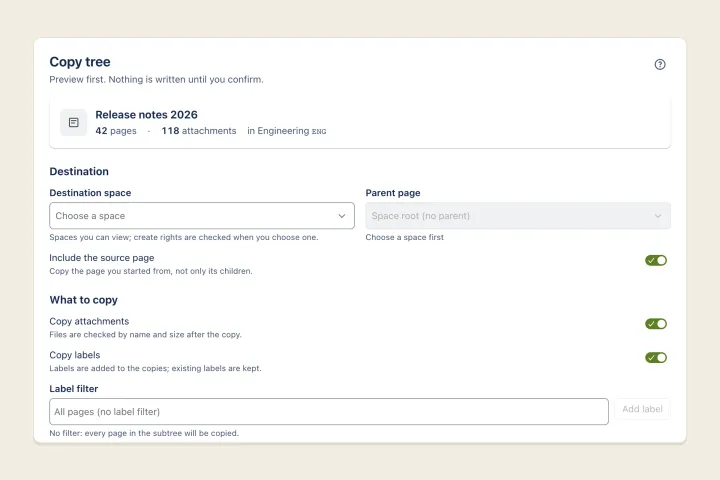
Copy dialog -
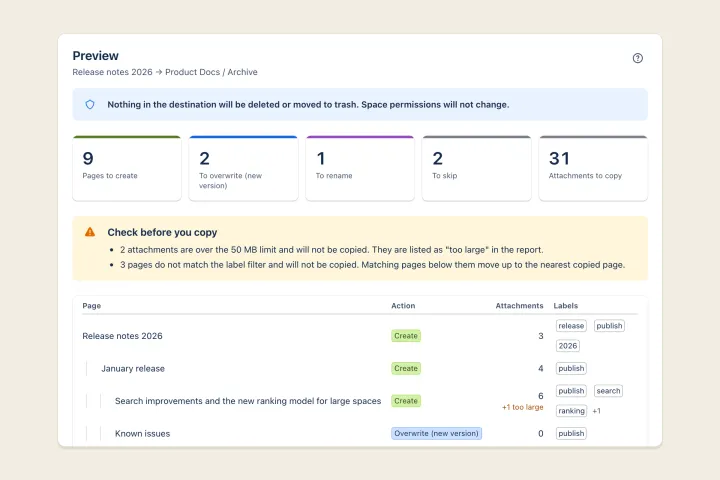
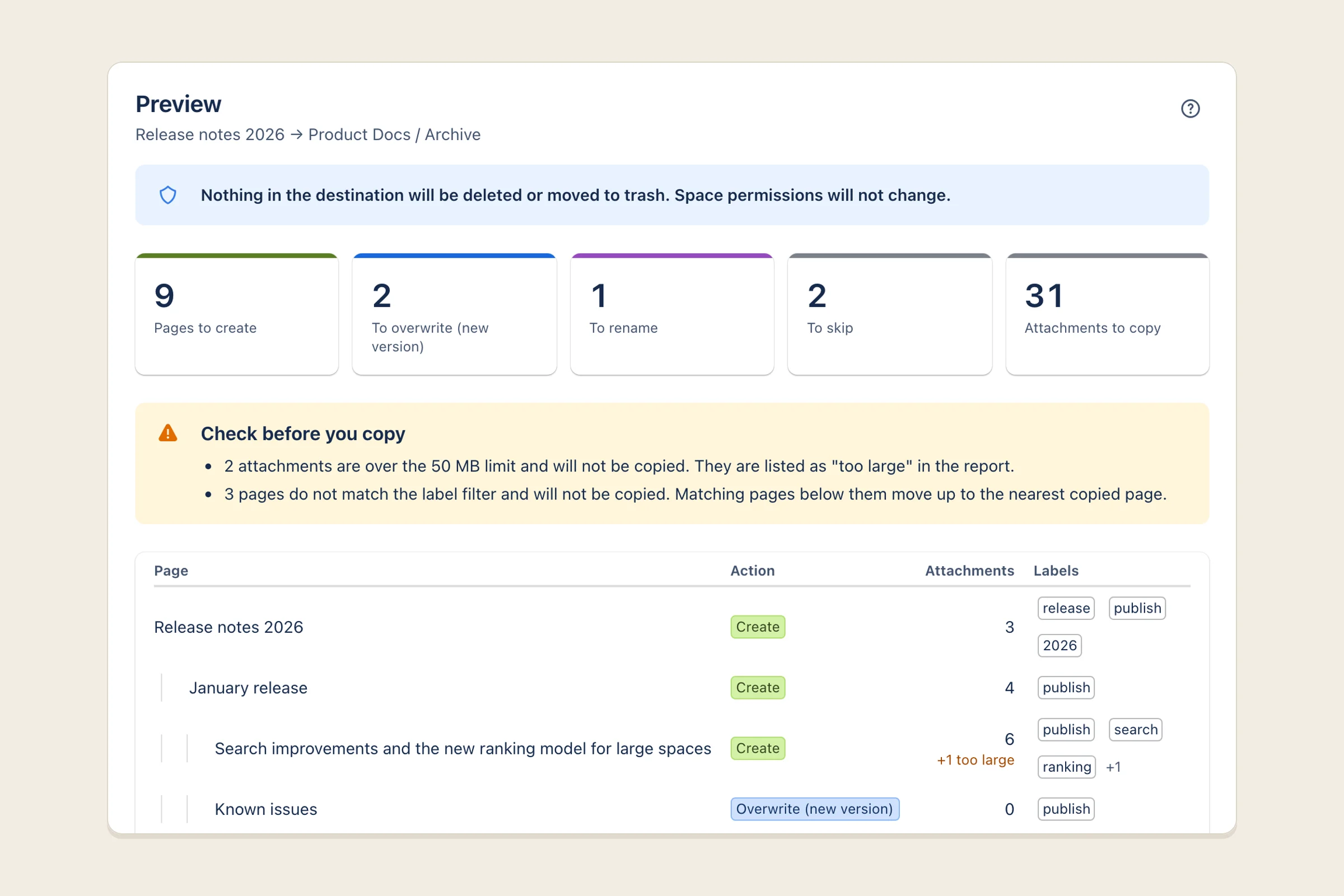
Preview before copying -
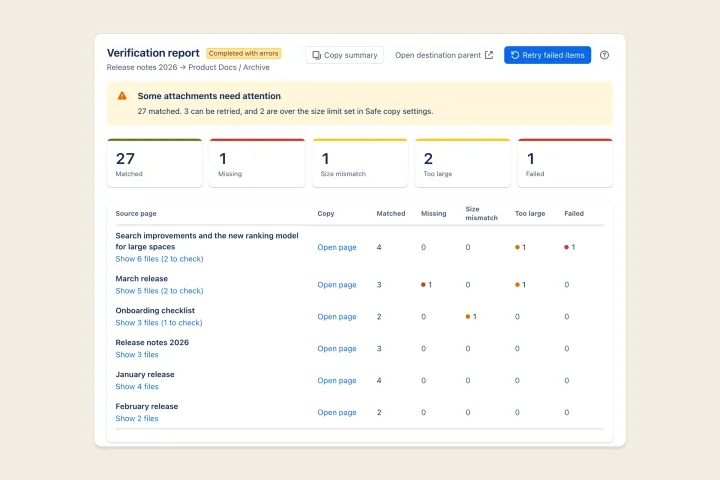
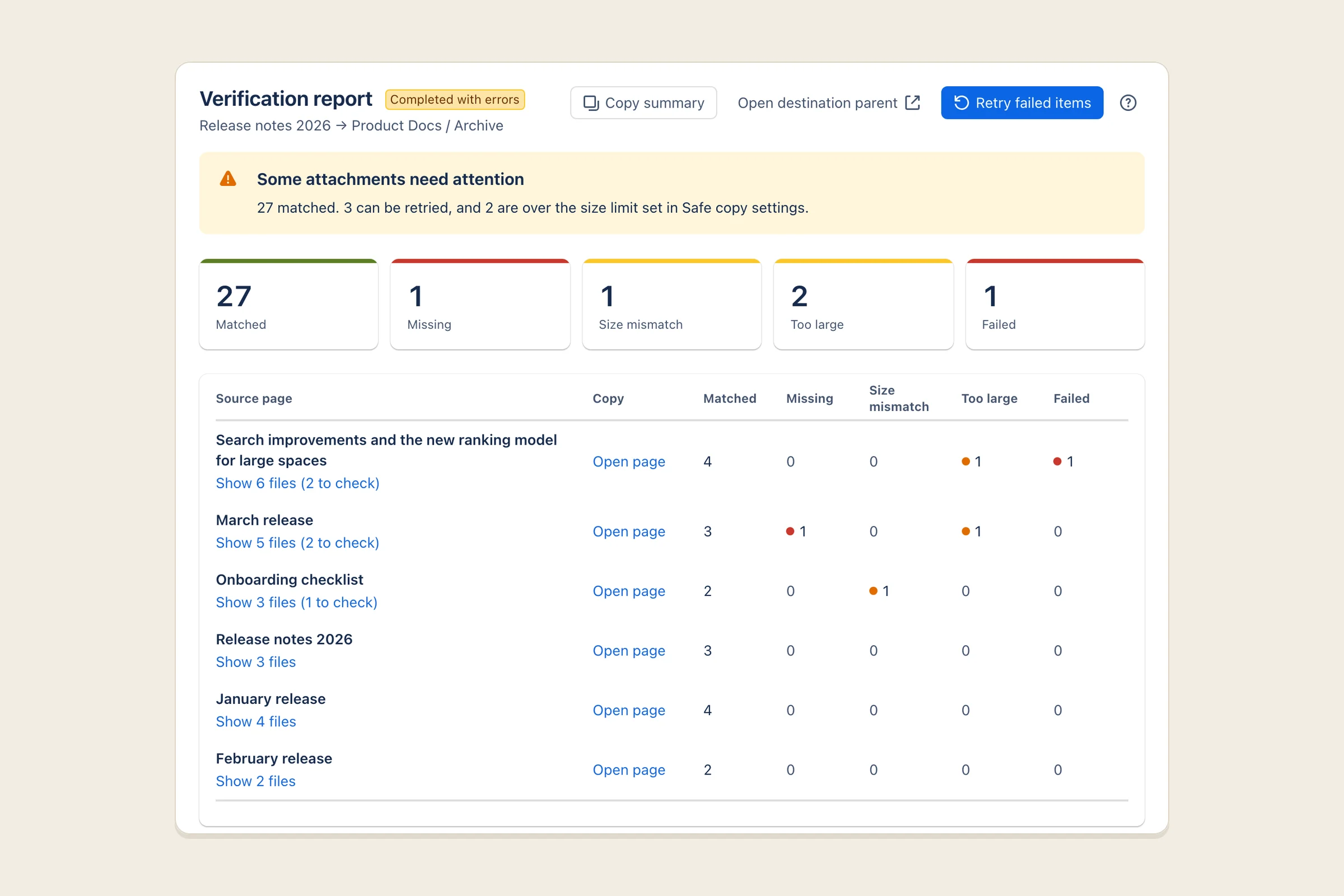
Verification report
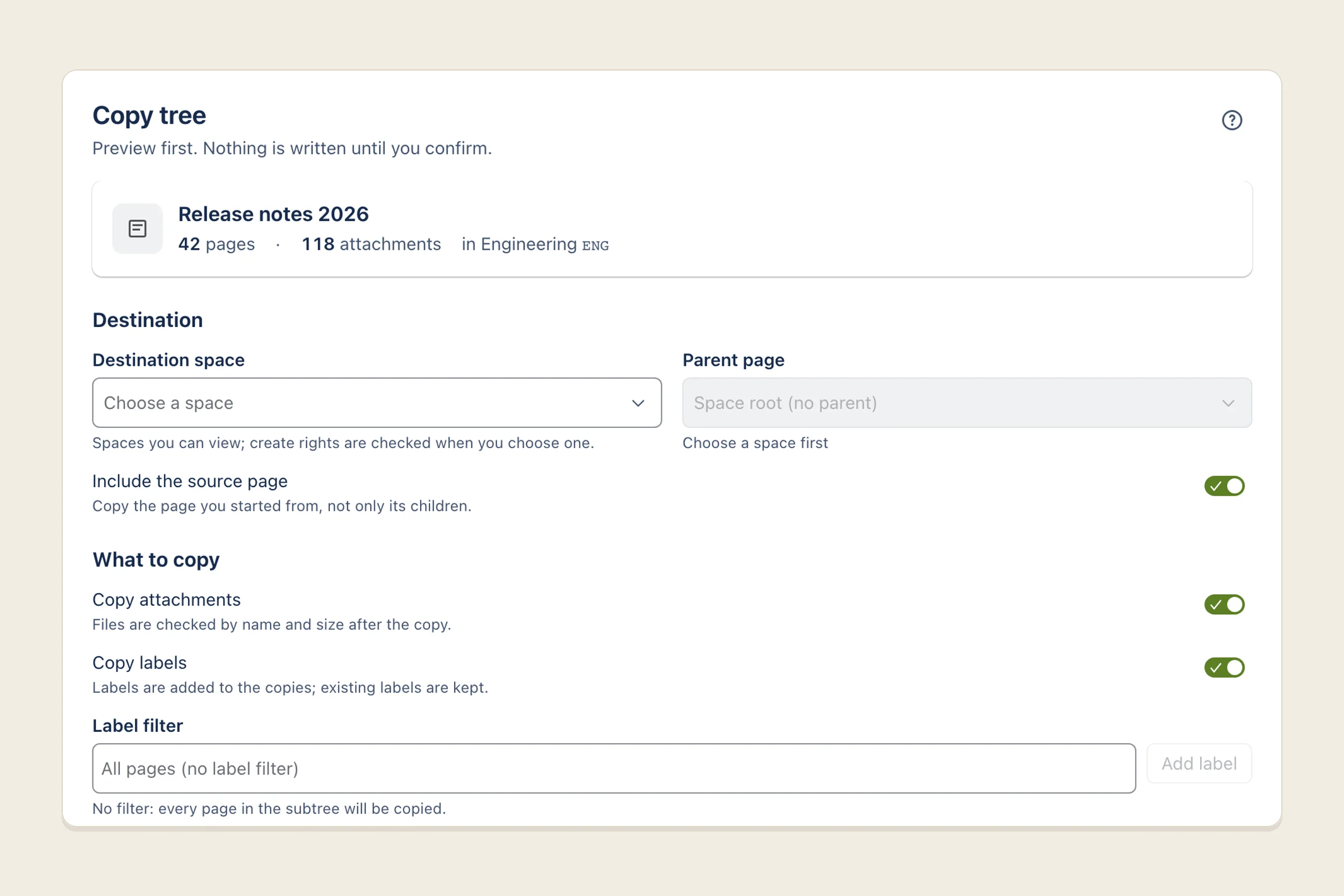
What it does
Safe Tree Copier adds Copy tree (preview first) to the ••• menu of every Confluence page. Choose a destination space and parent page, decide what to do when a page with the same title already exists, and press Preview. You see every page and attachment that will be created, updated or skipped before a single thing is written.
Once you confirm, the copy runs in the background, one page at a time, keeping the tree’s order, labels and attachments. If something interrupts it, it picks up where it stopped. When it finishes, it checks every attachment against the original and shows you anything missing, with a button to retry just those.
You can save a copy as a job and run it again later, by hand or daily or weekly, to keep a destination up to date.
Who it’s for
Space admins and documentation teams on Confluence Cloud who copy page trees or templates between spaces on the same site, and need attachments and labels to arrive intact.
It isn’t a full space cloner, it doesn’t copy between different Confluence sites, and it doesn’t do live two-way sync.
The problems it fixes
- Attachments don’t come along. Attachments are copied and then verified, page by page.
- A copy wipes out the destination. The app never deletes or trashes anything in the destination, and the preview says so before you start.
- There’s no way to update an existing copy. You can skip, rename, or update the existing page as a new version, so its history is kept.
- Labels are lost, and you can’t copy only some pages. Labels are copied, and a label filter copies just the pages you tag.
- Page order and hierarchy get scrambled. Pages are created in the source’s order, with no per-level page limits.
- Big copies stall or leave pages stuck mid-copy. Copies resume from the last finished page, and pages get their final titles straight away.
- Watchers drown in emails. Quiet mode saves updates as minor edits and doesn’t make you a watcher of every page, so big copies send far fewer emails.
- Space permissions get changed. The app checks your rights on both spaces and never changes permissions.
Pricing
Planned to be free for Confluence sites with up to 10 users, with paid tiers for larger sites billed through Atlassian. Exact prices will be on the Marketplace listing.
Your data
Runs entirely on Atlassian’s own platform (Forge). Page content and attachments pass straight from one space to another and are never stored by the app. It keeps only copy plans, run reports and saved jobs in your site’s app storage. Nothing is sent anywhere else, and there is no analytics or tracking.
The privacy policy has the details.
Help and policies
Get the next thing I make.
Essays, video essays, and small tools — I make everything myself and send one short email a week with the best of it. No noise.