Key Result Relay
OKRs inside Jira that update themselves from your Jira issues, and post progress, overdue check-in reminders and a weekly digest to the Slack or Microsoft Teams channels you choose.
- Works with
- Jira Cloud
- Get it from
- Atlassian MarketplaceListing coming soon
- Status
- In development
- Support
- support@christianortiz.studio
-
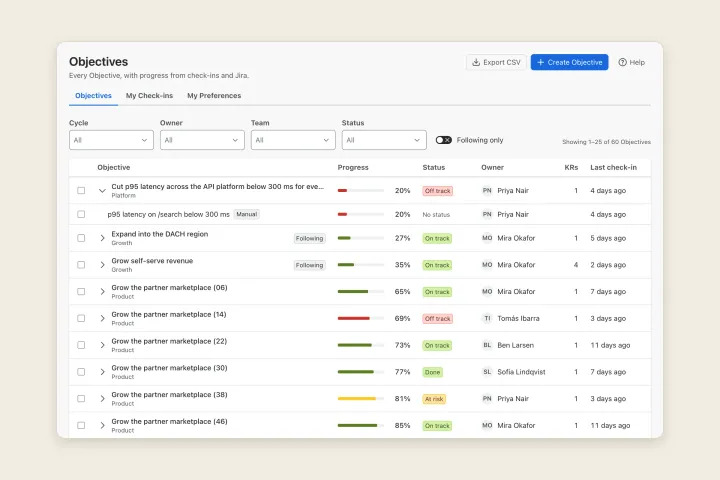
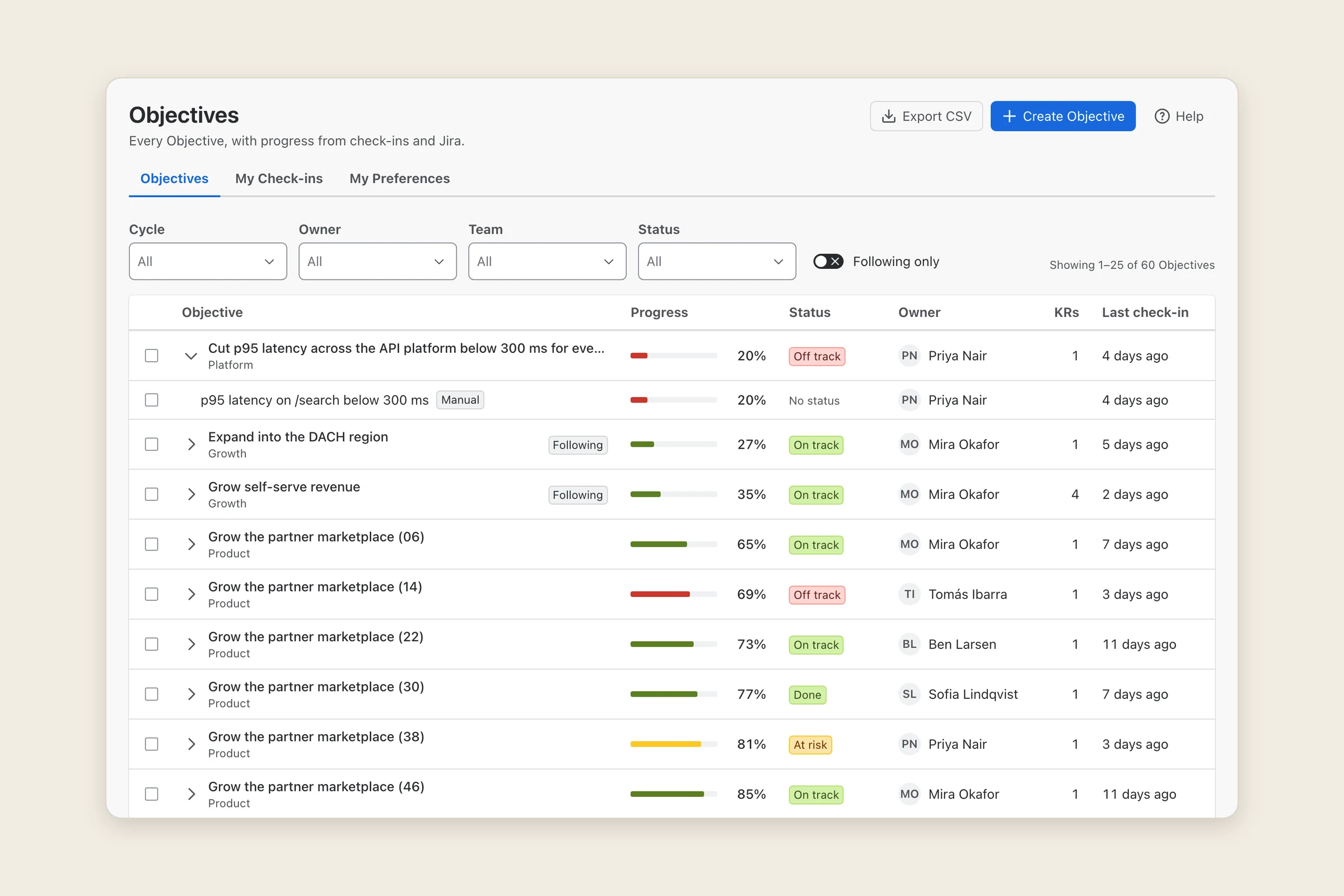
Objectives dashboard -
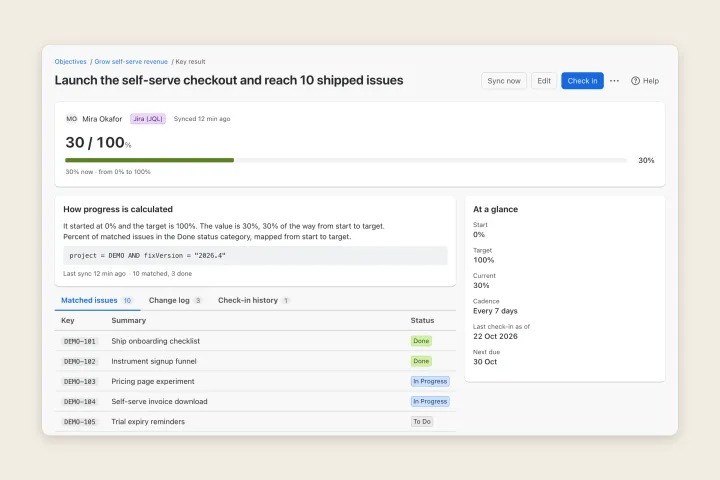
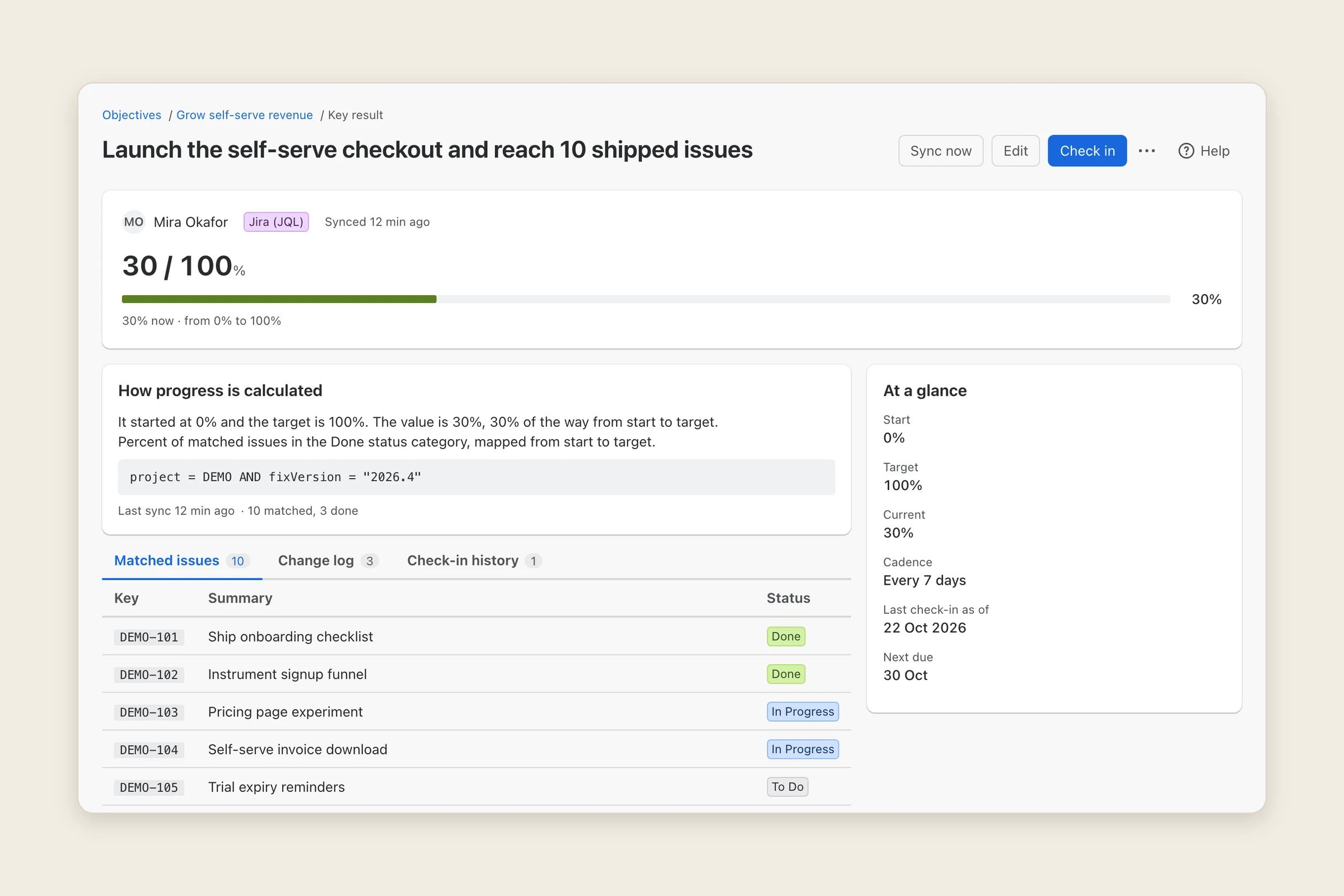
Key result rolled up from jira -
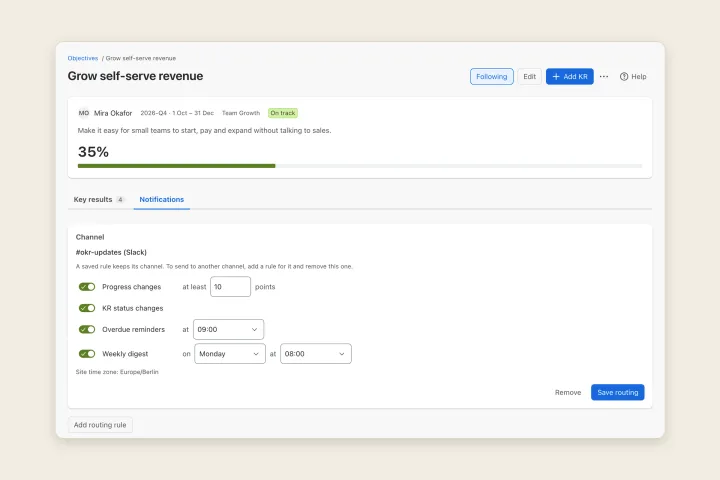
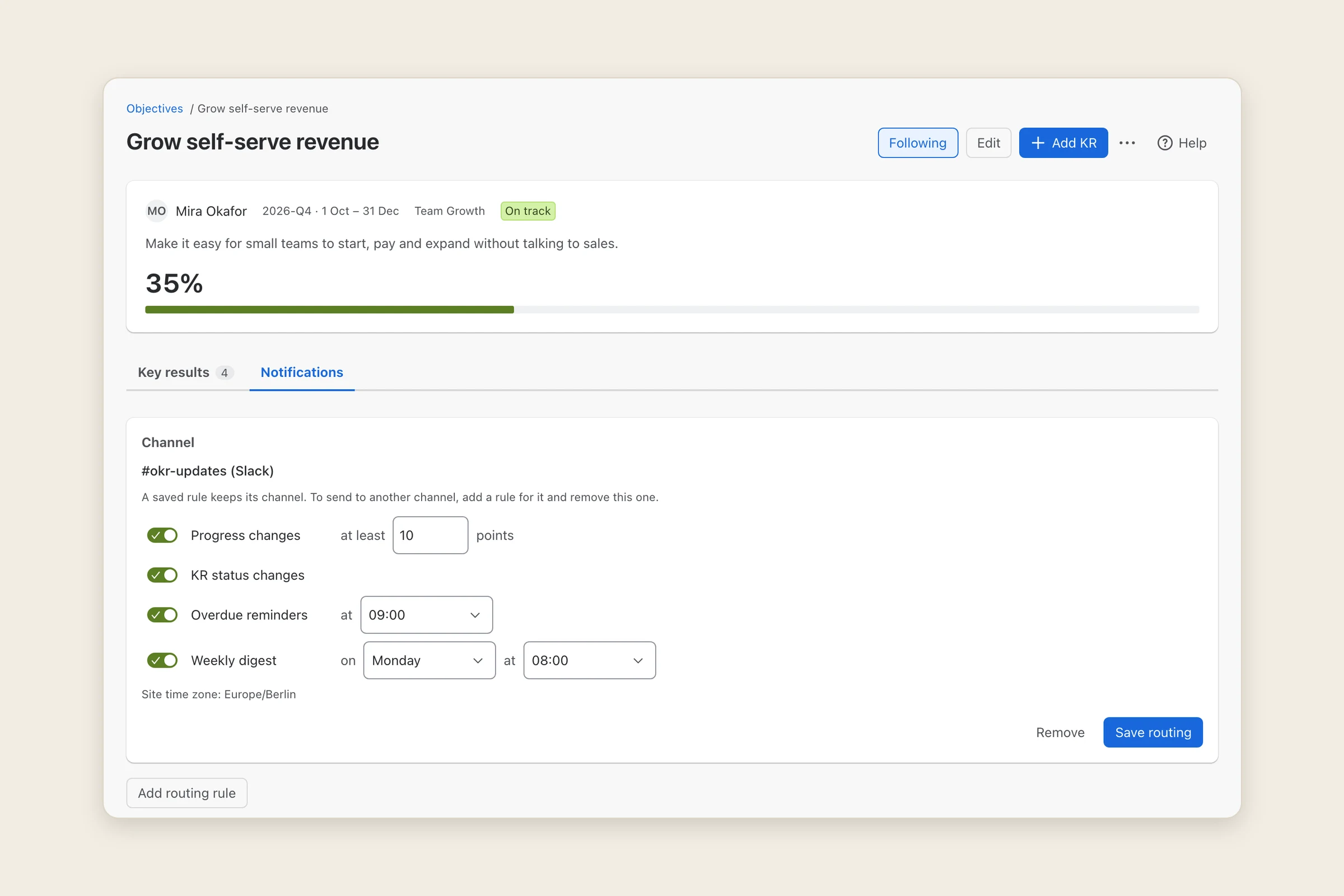
Route updates to slack or teams
What it does
Key Result Relay keeps your Objectives and key results (OKRs) in Jira and tells your team about them where it already talks: Slack or Microsoft Teams.
A key result can be measured by hand with check-ins, or linked to Jira with JQL: the app counts the matching issues and how many are done, and updates the key result when those issues change. Every number says where it came from: the query, when it last synced, how many issues matched, and a change log.
For each Objective you choose which channel hears about it and what it hears: progress changes above a threshold you set, key result status changes, overdue check-in reminders at an hour you pick, and a weekly digest. You see the exact message before anything is sent.
Who it’s for
Jira Cloud teams of roughly 10 to 100 people who run OKRs and talk in Slack or Teams. A Jira admin installs the app and connects the channels; Objective owners and team leads use it day to day.
It isn’t a strategy-map or KPI suite, and it doesn’t create Jira issues from chat.
The problems it fixes
- OKR updates that never reach the team. Progress, reminders and digests go to the Slack or Teams channels you connect, without a separate connector subscription.
- Roll-ups you can’t trust. A JQL key result shows its query, the matched and done issues and when it last synced, and an hourly check corrects any drift.
- Key results that don’t move when the work is done. Issue changes in Jira update the key results that watch them, usually within a minute.
- A cap on Objectives. There’s no limit on how many Objectives the dashboard holds; it pages and filters by cycle, owner, team and status.
- Notification noise. Each person can follow or mute Objectives, snooze reminders, and choose not to be named in channel messages. Nobody is tagged.
- Installs that don’t work. A Setup page checks the license, storage, a sample Jira search, the issue-event trigger, the background queue and every channel, and says how to fix anything that fails.
Pricing
Planned to be free for Jira sites with up to 10 users, with paid tiers for larger sites billed through Atlassian. Exact prices will be on the Marketplace listing.
Your data
Your Objectives, key results and check-ins are kept in your Jira site’s app storage, on Atlassian’s platform (Forge), with the Atlassian account IDs of their owners and authors. Jira issues are read to compute progress, never changed. When a Jira admin connects a Slack or Teams channel, the messages you route there (titles, values, notes and, unless someone opts out, owner names) are sent to that channel, so that content leaves Atlassian. Webhook addresses are stored as secrets and never shown again. There is no analytics or tracking.
The privacy policy has the details.
Help and policies
Get the next thing I make.
Essays, video essays, and small tools — I make everything myself and send one short email a week with the best of it. No noise.