Estimate Scheduler
A Gantt schedule for Jira that turns original estimates and story points into start and end dates, across projects, following your team's working hours, holidays and blocking links. Writing dates back to Jira is optional and always previewed first.
- Works with
- Jira Cloud
- Get it from
- Atlassian MarketplaceListing coming soon
- Status
- In development
- Support
- support@christianortiz.studio
-
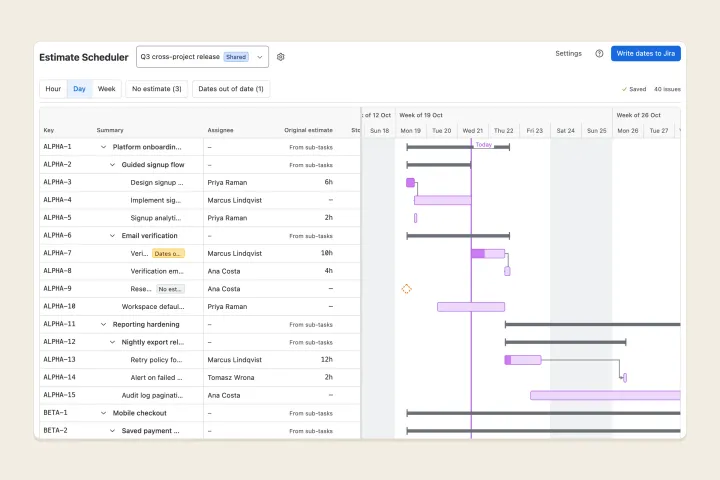
Cross project schedule -
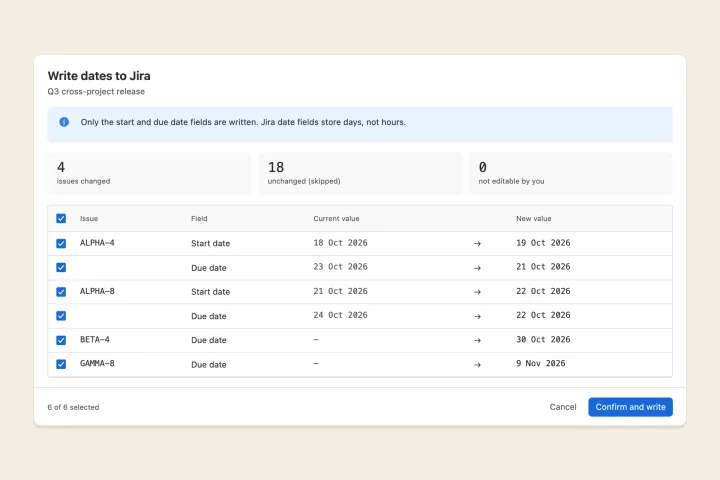
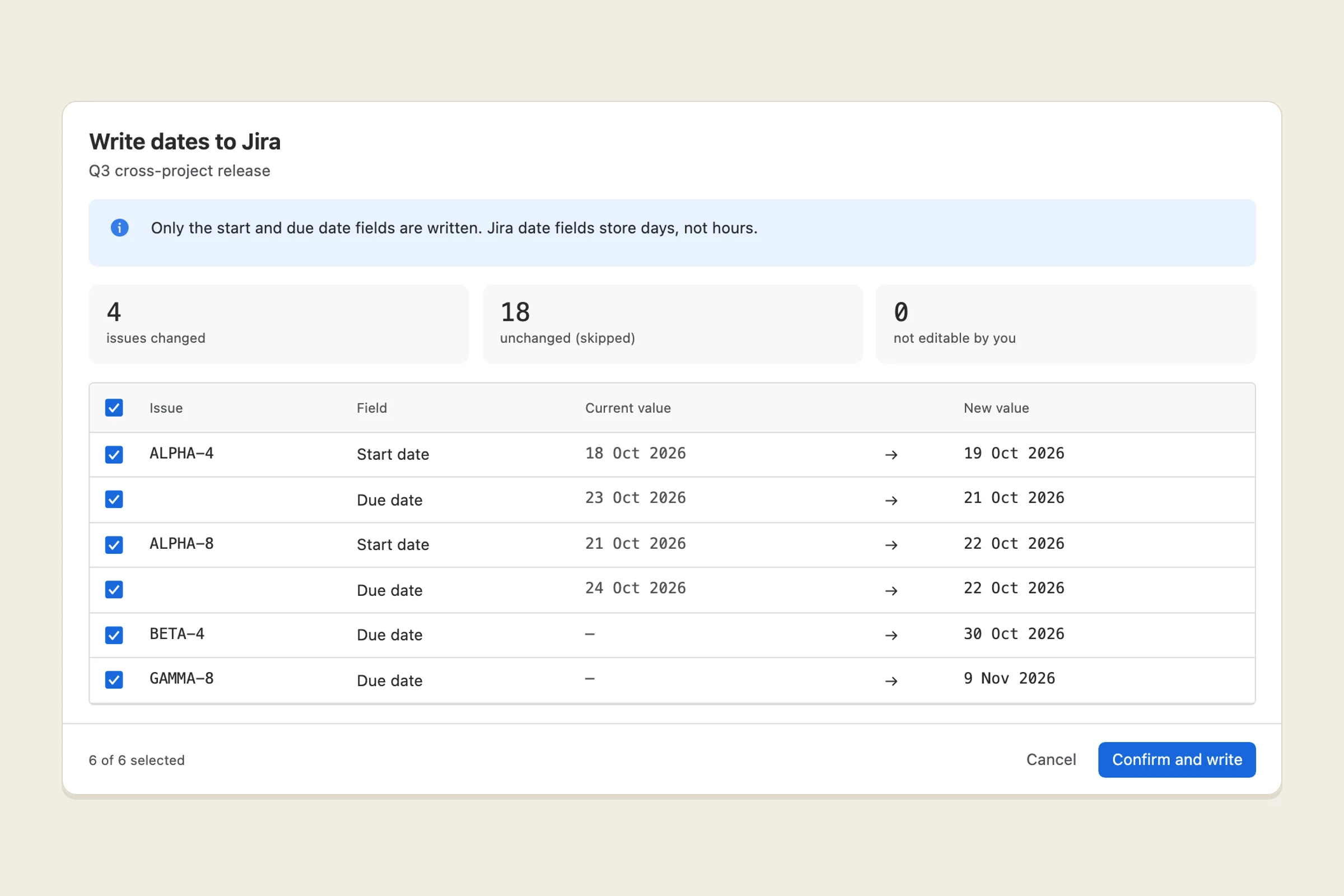
Write dates to jira -
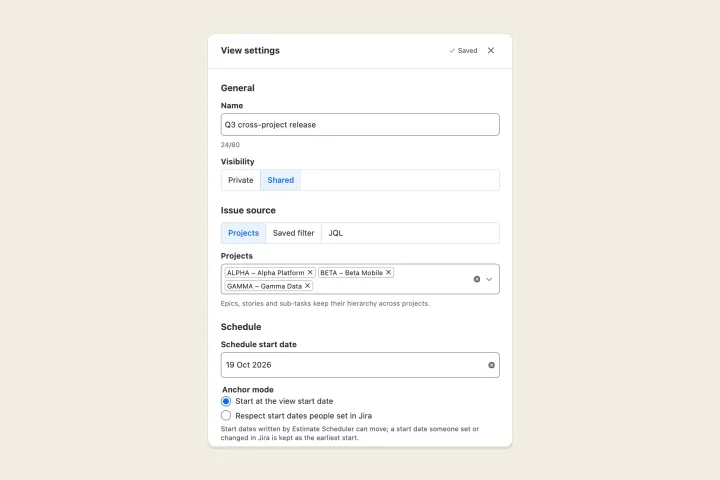
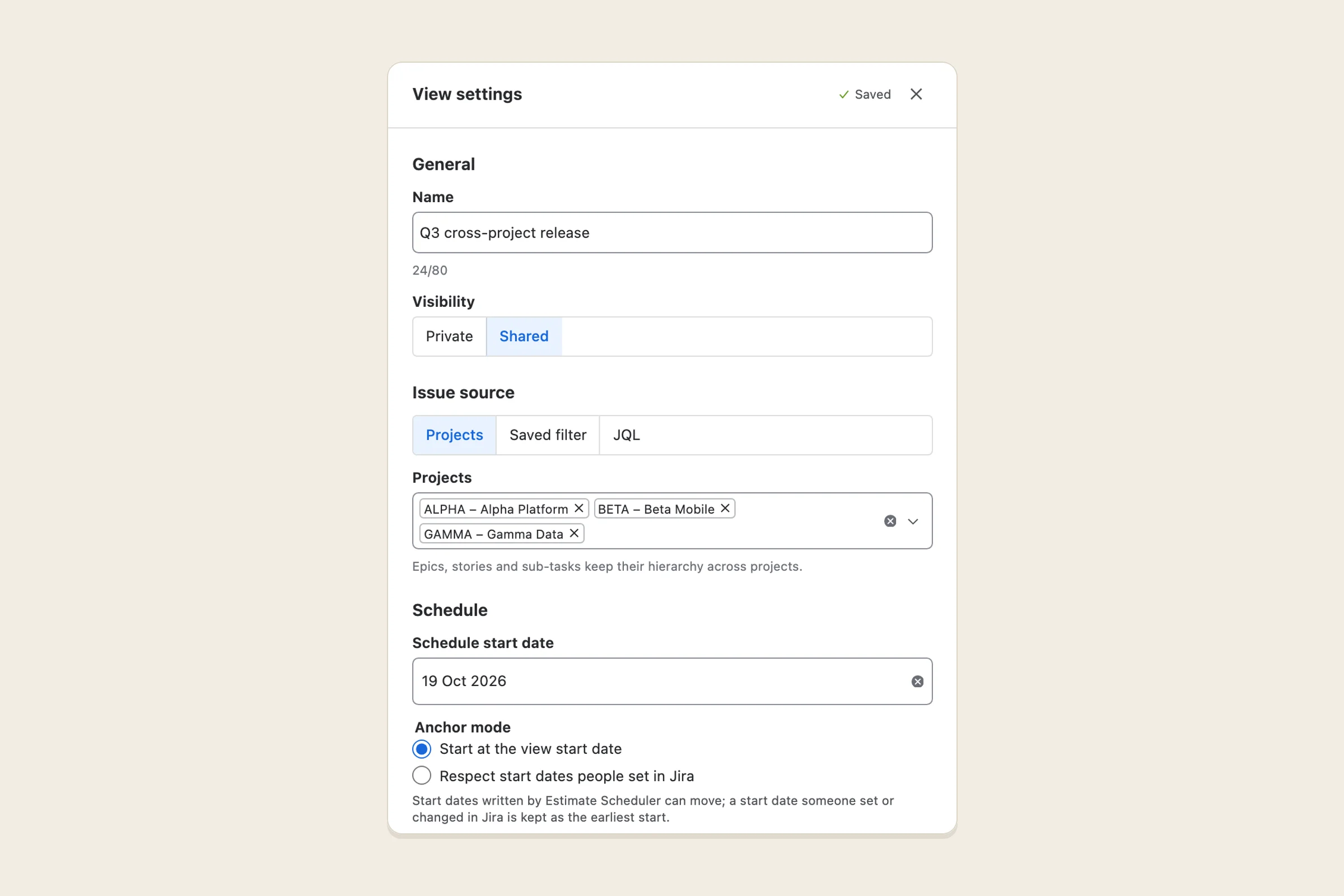
View settings
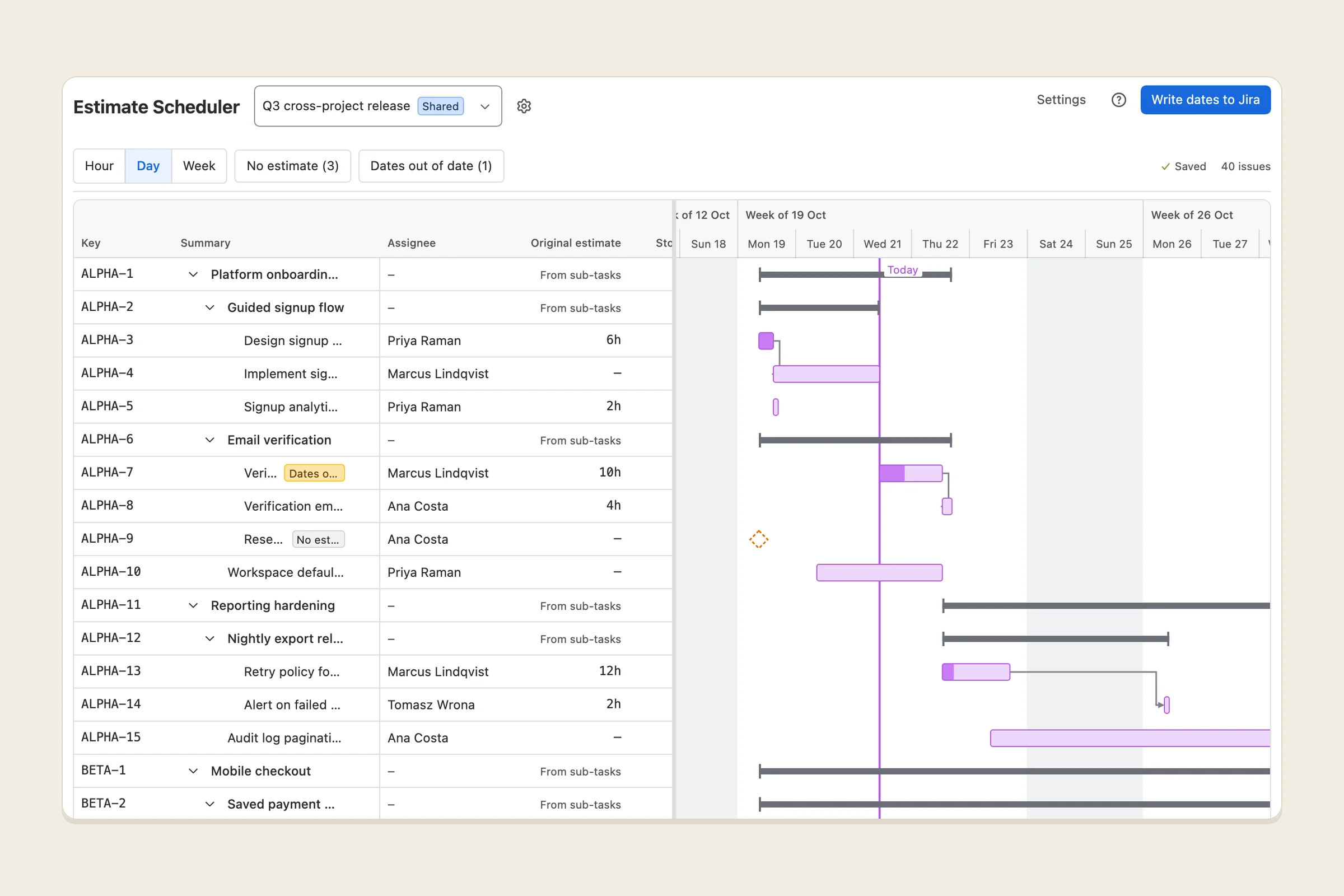
What it does
Estimate Scheduler puts your Jira issues on a Gantt chart and works out each issue’s start and end dates from its estimate. It uses the original estimate in hours first and, when that’s missing, story points times a points-to-hours ratio your team sets.
The dates follow your team’s working hours and working days, the site’s non-working dates (holidays), and dependency links: an issue starts after the issues blocking it finish. Short tasks share a day at hour zoom; longer plans read best at day or week zoom. Estimate % and Actual % columns compare elapsed working time with time logged.
Each view pulls issues from several projects, a saved filter or JQL, keeps the epic, story and sub-task hierarchy, and keeps its own calendar. Views save as you go and can be private or shared.
When you’re ready, Write dates to Jira shows every start and due date it would change, current and new side by side. Untick anything you want to keep, then confirm. Nothing in Jira changes until you do.
Who it’s for
Jira Cloud teams who estimate in hours or story points and want a realistic timeline from those estimates, across several projects, without filling in dates by hand. It suits team leads and project managers planning a release or a quarter.
It isn’t a resource-workload or earned-value tool, and it doesn’t replace Jira’s own boards or timeline.
The problems it fixes
- Gantt apps that make you type every date. Dates are computed from the estimates you already have.
- Story points that never become dates. Set how many hours one point means, and points schedule like hours.
- Plans that ignore the working week. Hours per day, workday start, working days, week start and holidays all count.
- One project per chart. A view can combine projects, a saved filter or any JQL, with hierarchy kept.
- Setup before you see anything. Start, due, story-point and estimate fields are detected on install, so a view works on first open.
- Apps that change issues behind your back. Nothing is written on install or when you open a view. Hiding an issue only changes the view. Dates are written only after a preview and your confirmation, and only the start and due date fields.
- Guessing durations. Issues with no estimate are marked No estimate instead of being given a made-up length.
- Written dates that quietly go stale. If an estimate, story points, links or dates change after a write-back, the issue is marked Dates out of date.
Pricing
Planned to be free for Jira sites with up to 10 users, with paid tiers for larger sites billed through Atlassian. Exact prices will be on the Marketplace listing.
Your data
Runs entirely on Atlassian’s own platform (Forge), and nothing leaves Atlassian. Issues are read from Jira, as the person viewing, each time a schedule opens; their summaries and descriptions are never stored. The app keeps its view settings, site settings and a history of date write-backs in your site’s app storage, with the Atlassian account IDs of the people who own views, change settings or write dates. There is no analytics or tracking.
The privacy policy has the details.
Help and policies
Get the next thing I make.
Essays, video essays, and small tools — I make everything myself and send one short email a week with the best of it. No noise.